

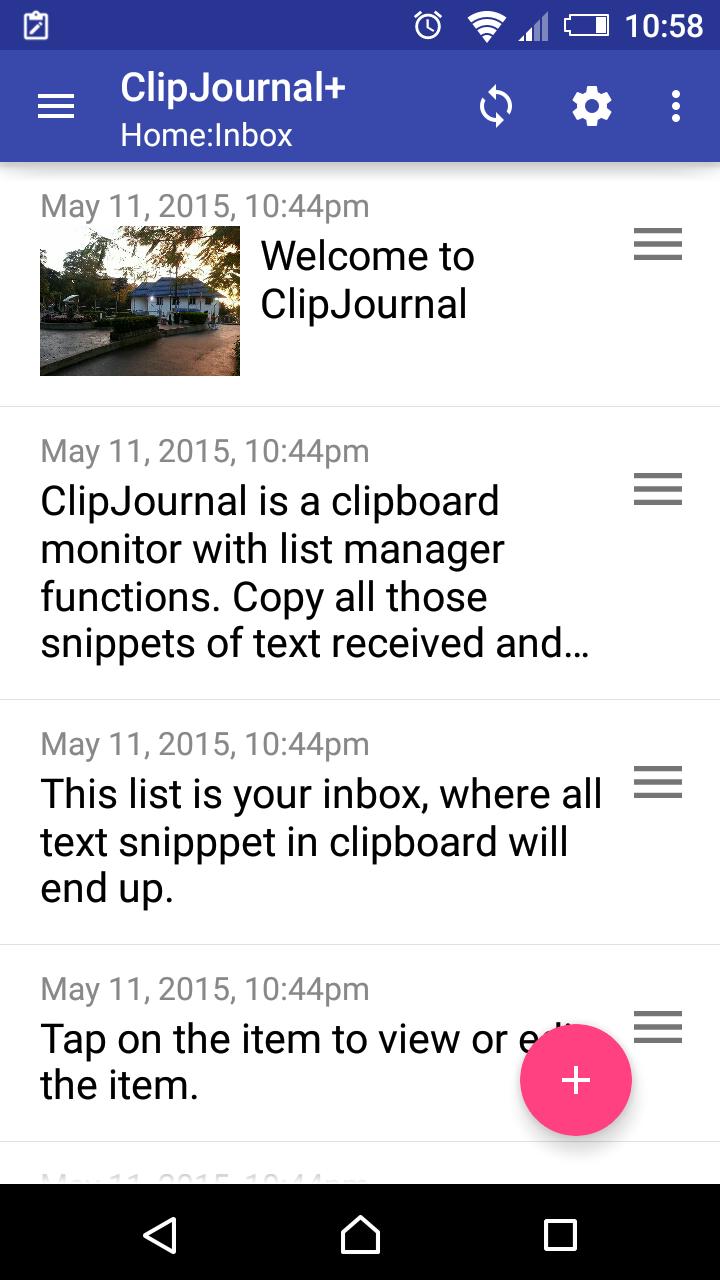
A clipboard monitor with list manager for list like to do, shopping, notes, etc.
Now, with ability to attach photo or images to entries and ability to share text and images to and from others apps.
Convert those incoming text and thoughts into to do list, shopping list or grocery list, errands, contact list, packing list, checklist, inventory, collections, quotes, notes, sms quick replies, recipes, jokes, bookmarks, or any other list you can think of, all in one place quickly accessible through notification bar.
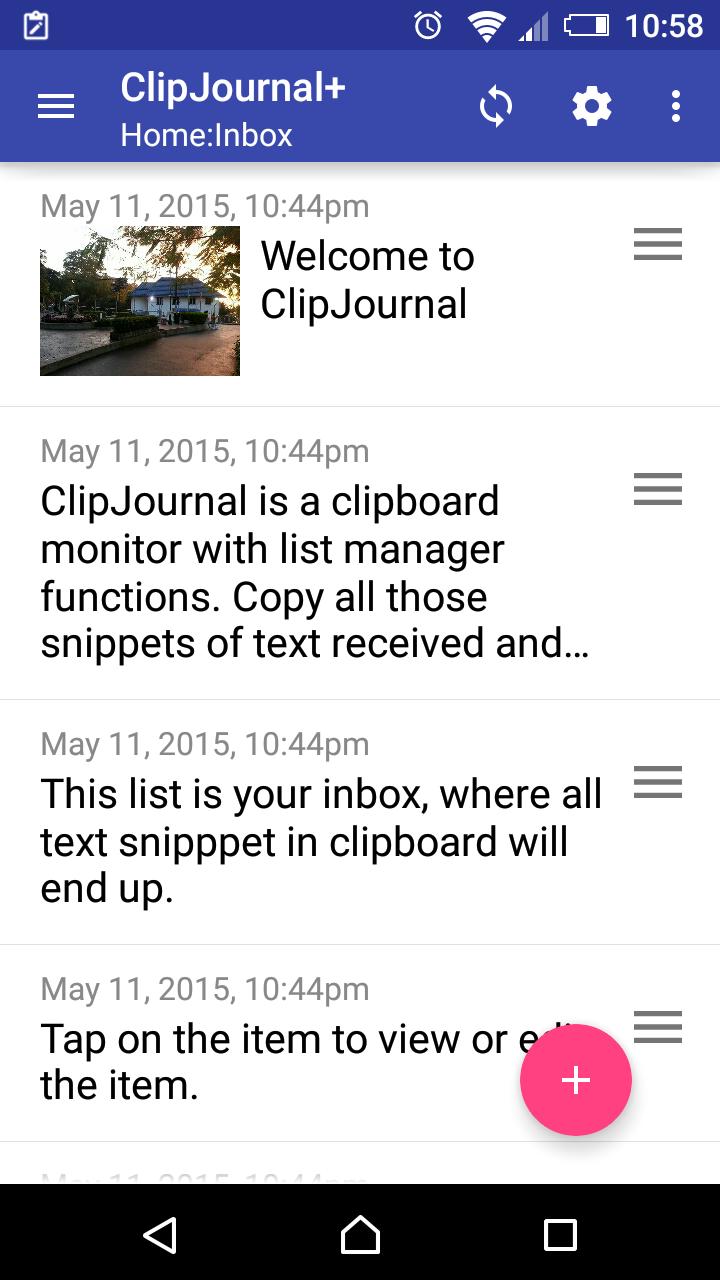
Clipboard Journal is a clipboard monitor with list manager functions, keeping a history of text copied, cut or shared to clipboard.
Copy all those snippets of text messages received and thoughts that come in throughout the day and they automatically become your journal of the day, awaiting you to sort out into different lists for follow-up or for recording purpose.
Features:-
* Clipboard monitor, keep a history of text copied, cut or shared to clipboard.
* Create new list or new items/notes. Jot down thoughts and ideas conveniently.
* Move or organize those snippet of text into different categories or lists.
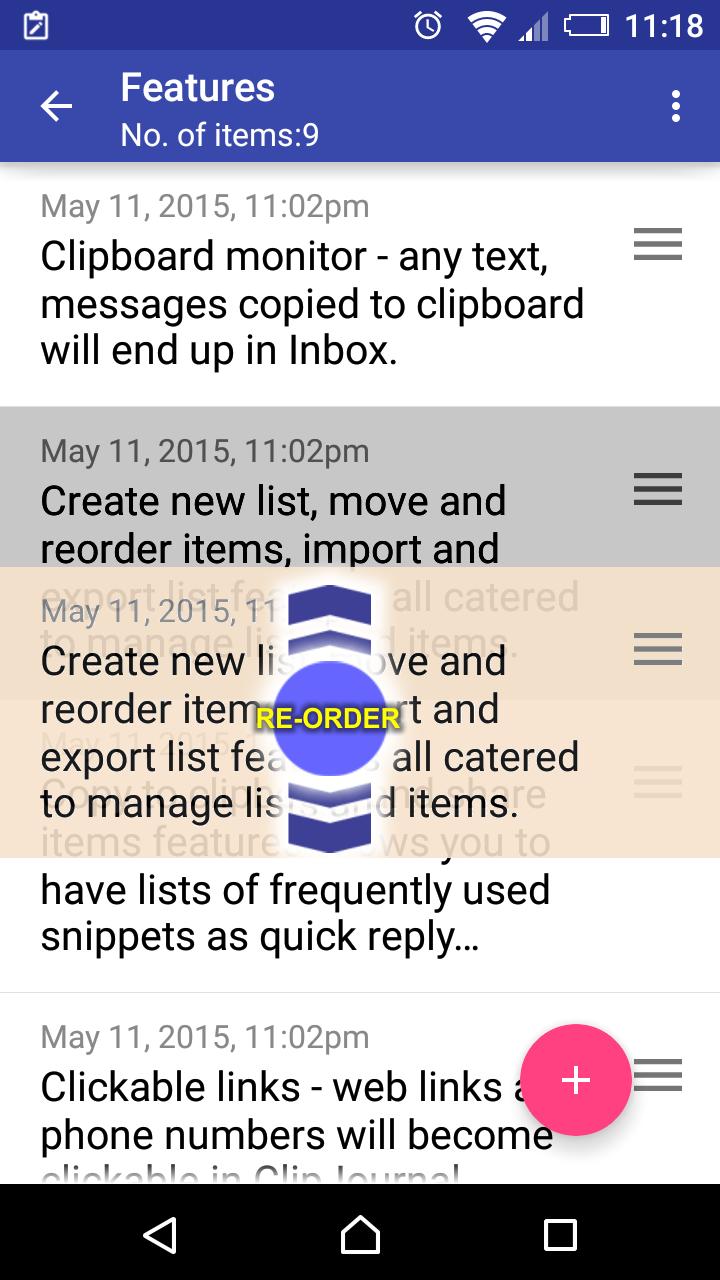
* Plan your agenda with simple drag and drop gestures
* Web links and phone numbers become clickable in Clipboard Journal.
* Import from call log - make a note on that last call or just to record the new contact number for follow-up.
* Import and export list to share your list with friends and family
* Mark and check items off your grocery list, errands, to do list, packing list, etc.
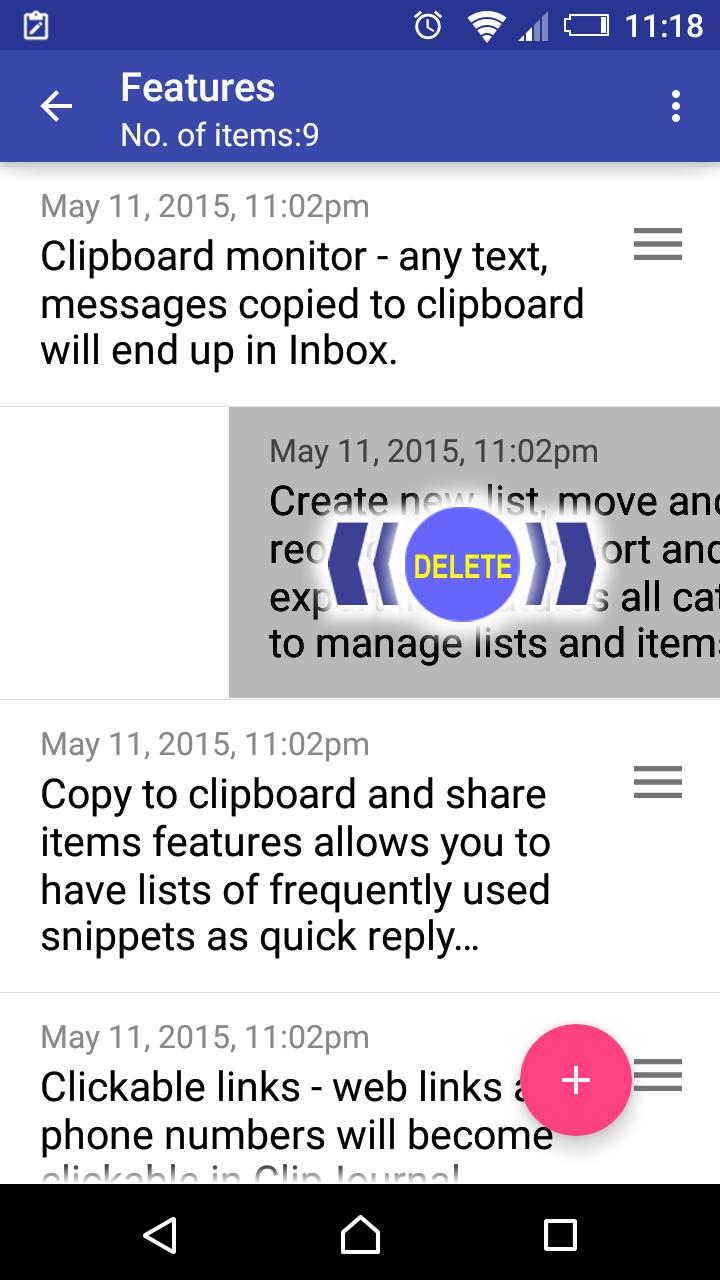
* Swipe to delete
* Recover deleted snippets
* Copy back to clipboard to share to with other apps or to send snippet of text out quickly.
How does Clipboard Journal works?
Once you have launched Clipboard Journal, it will continue to stay in the background monitoring your clipboard. Any text copied, cut or shared to clipboard will be kept in Clipboard Journal's inbox. At anytime any idea or thought that comes into mind, just enter them directly into Clipboard Journal. Never miss or have to forget anything again. All those snippets of text are awaiting for you in Clipboard Journal to organize them into different categories or lists.
Are you encountering any of these situations:-
1. You are using different apps to keep track of to do, notes, shopping list, bookmarks, etc etc, but sometimes you have to decide which app to use, and when you need to find something you could not remember which app you have used.
2. Some text or Whatsapp messages you received containing web links and phone numbers are not clickable.
3. You wish for a simple app that work just like that small little notepad or piece of paper that you used to keep in your pocket to keep notes, to do, groceries list, phone numbers and plan you day.
4. You have a problem of extracting phone number from your call log to send it to a friend or to make a note.
If you are then Clipboard Journal is for you. Clipboard Journal is quickly and easily accessible through notification bar.
100% FREE & NO ADS - This is a limited version of Clipboard Journal +, with a limit on number of lists and items creation.
Regarding permissions
Camera - attach photos to entries
Read call log/contacts - import last calls into entries
Network/internet access - dropbox sync
Version 2.3.150922
1. Added backup and restore features
Version 2.3.150915
1. Built-in image viewer
2. Various bug fixes
Version 2.3.150809
1. Fix issues with Android 4.3 and 4.4
2. Added edge swipe for next/previous note.
3. Iconized all menu options.
Version 2.2.150723
1. Minor bug and UI fix
Version 2.2.150720
1. Fixed problem with Samsung devices
2. Added checklist note type to entries
3. Minor changes to UI





 Download