

The most powerful clipboard manager for copy and paste with security & privacy.
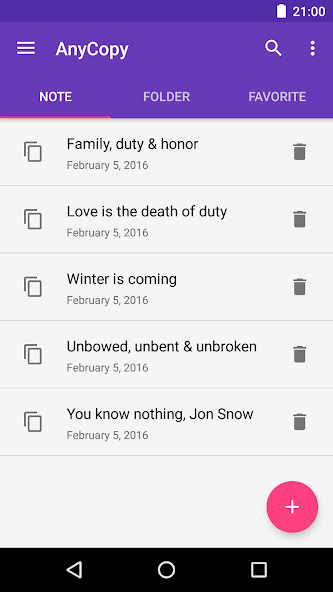
AnyCopy is a powerful clipboard manager that allows you to cut, copy, and paste multiple texts and save them for later use.
Have you ever found yourself flipping between two or more apps in order to copy and paste texts from one to another?
Have you ever needed to paste the same set of text over and over again?
Would you like to store text for future reference?
All you have to do is copy the text as you would normally do and it is now available for your future reuse or reference. AnyCopy automatically saves every plain text that you copy to the clipboard. And you could trigger the clipboard history by double-tapping any input fields and paste your data just in one tap without leaving the current application that you are using.
And it does not stop there. AnyCopy shows absolute respect to your privacy without requiring any Network Pemission and AnyCopy provide ultimate care to your data security by
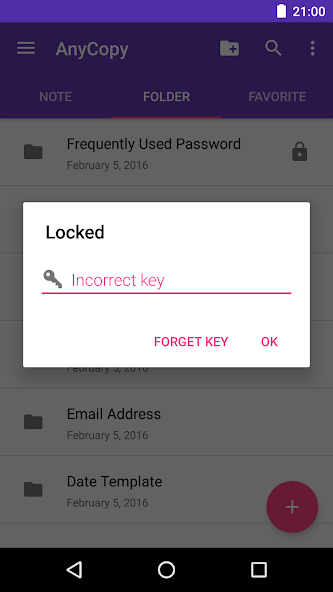
★ provide a 4-digit app passcode to prevent others accessing your app.
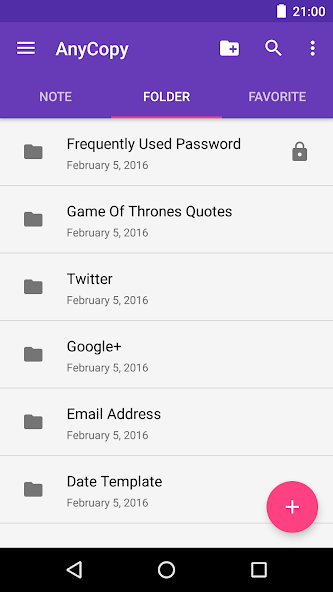
★ provide independent locker for your notes and folder.
★ provide advanced data encryption algorithm for all your data.
★ provide backup and restore your data with Google Drive in multiple device.
Here come the feature list:
1, Automatically save any notes that you have copied to Clipboard. You could even copy an entire article to read later, or copy selected quotes as you read them.
2, AnyCopy does not require network permission. It fully supports offline mode for notes creating, viewing & editing. You, and only you, can access your notes any time you want.
3, AnyCopy supports keyword search in all your notes and you could get the search result instantly.
4, AnyCopy can be started quickly from your status bar. You can copy and reuse any frequently used text such as email or password in a single tap.
5, Generate date templates automatically. You could get any desire date format based on the current timestamp.
Permission Explanation
Write Storage Permission is used to export notes from AnyCopy into your SD card.
Read Storage Permission is used to import notes from your SD card into AnyCopy.
Draw over other App Permission is used to pop up an undo option on notes being copied.





 Download