• Home
  • Games
    Action-adventure Simulation Business Role Playing Sports Competition Casual Intelligence Card Strategy Music Rhythm Text Puzzle
  • Apps
    Business Office Newsletter Social Life Entertainment Online Shopping Practical Tools Travel Educational Learning Information Reading Sports and Health
  • Articles

English 中文(简体) 中文(繁体) 한국어 日本語 Português Español Русский العربية Indonesia Deutsch Français ภาษาไทย
Home Apps Practical Tools AR Draw to Sketch Photo
AR Draw to Sketch Photo

AR Draw to Sketch Photo

1
2
3
4
5
Download
  • Version 1.3.3
  • Category Practical Tools
  • Package Name com.ardraw.sketchphoto.sketchdrawing.arsketching
  • Update Time November 16, 2024
  • Size 50MB
About this app

AI drawing app with AR to sketch anything. Picture sketching and drawing easily

Use the camera on your device to put things from the real world into your sketches, drawing sketch and paint. So easy with our AR Draw to Sketch Photo app!

? What is Sketch (Camera Sketch)?

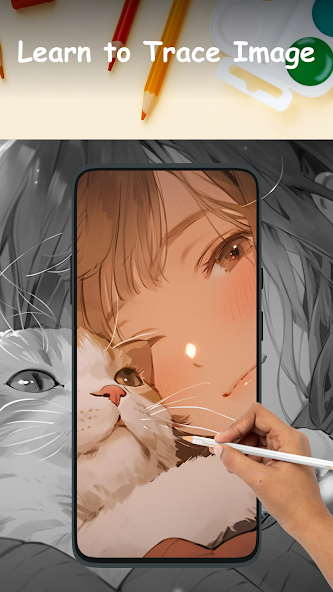
- Utilize your phone's camera to create freehand artwork from real-life images. Draw by tapping on the screen, enabling you to produce unique pieces from photos.

? How to begin sketching:

- Open the art drawing app

- Choose an object from the collection or your gallery/camera.

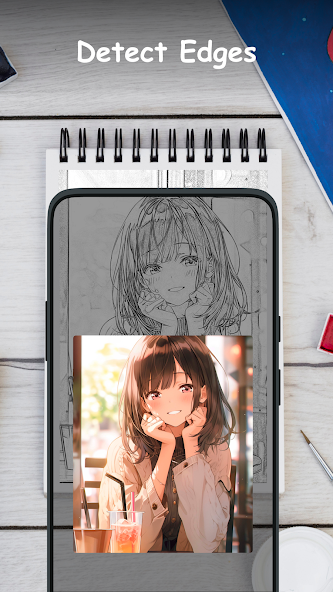
- Adjust the object to your liking. Adjust Grid, Edge and Opacity

- Record and start sketching the images line by line, easily transferring the object onto the paper. Sketch line effect

With the draw sketch app, you can draw anything you want on any surface. Transform your phone into an artistic tool by adjusting the image, brightness, contrast, rotation, and lock settings to suit your preferences. You can use the most powerful AR technology in the drawing sketch app to bring out your creativity and create your own works of art.

? The main features in sketch art app:

- Draw and sketch photo with AR technology

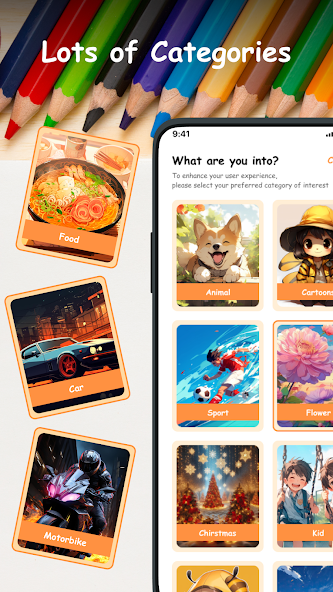
- Many categories to sketch: Christmas, anime, flowers, car, food...

- Record when sketching and painting processes

- Handy tools: lock screen, rotate image, adjust brightness, and flashlight.

- Save your drawing in the gallery

A simple way to start learning drawing using your phone camera to draw. Try the sketch and draw app today and learn to draw like never before.

Need Help? Have Questions? Please contact us. Hope you have a nice day with the sketch draw and paint app.


Download(50MB)
Users also viewed
  • Lotus Pond Live Wallpaper

    Lotus Pond Live Wallpaper

    1.4 January 22, 2026
  • Archos Weather Station

    Archos Weather Station

    1.4.2 January 22, 2026
  • Anime HD Keyboard

    Anime HD Keyboard

    1.279.1.129 January 22, 2026
  • Move4U Survey App

    Move4U Survey App

    1.4.0 January 21, 2026
  • Status Report - Device Info, U

    Status Report - Device Info, U

    1.0925 January 21, 2026
  • Beautiful Camera HD

    Beautiful Camera HD

    1.2.3 January 21, 2026
  • Civil Engineering Calculations

    Civil Engineering Calculations

    1.71 January 21, 2026
  • Sweet Home AVR (Unreleased)

    Sweet Home AVR (Unreleased)

    9.99 January 21, 2026
  • US Robot Stickman Rope Hero -

    US Robot Stickman Rope Hero -

    1.0 January 21, 2026
  • NotifyClean

    NotifyClean

    3.8.6 January 21, 2026
  • A Light: 1-Click Flashlight

    A Light: 1-Click Flashlight

    2.6 January 21, 2026
  • Be with you - Locker Theme

    Be with you - Locker Theme

    1.2 January 21, 2026
  • Ilmajaam

    Ilmajaam

    5.6.4 January 21, 2026
  • Metal X GO Launcher Theme

    Metal X GO Launcher Theme

    v1.0 January 21, 2026
  • Grocery Lists  Make Shopping Simple and Smart

    Grocery Lists Make Shopping Simple and Smart

    5193 v1 January 21, 2026
About Privacy Policy Terms of Service Cooking Policy

© Copyright 2017-2026 downde.com