• Home
  • Games
    Action-adventure Simulation Business Role Playing Sports Competition Casual Intelligence Card Strategy Music Rhythm Text Puzzle
  • Apps
    Business Office Newsletter Social Life Entertainment Online Shopping Practical Tools Travel Educational Learning Information Reading Sports and Health
  • Articles

English 中文(简体) 中文(繁体) 한국어 日本語 Português Español Русский العربية Indonesia Deutsch Français ภาษาไทย
Home Apps Business Office Sv. Kalender
Sv. Kalender

Sv. Kalender

1
2
3
4
5
Download
  • Version 3.0
  • Category Business Office
  • Package Name se.tg3.dagsalmanackan
  • Update Time March 27, 2025
  • Size 1.62MB
About this app

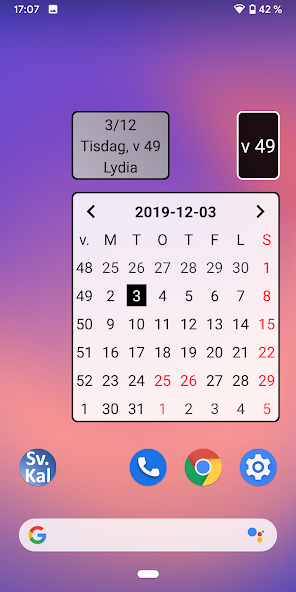
Swedish calendar showing the month, day and week number. Swedish public holidays etc.

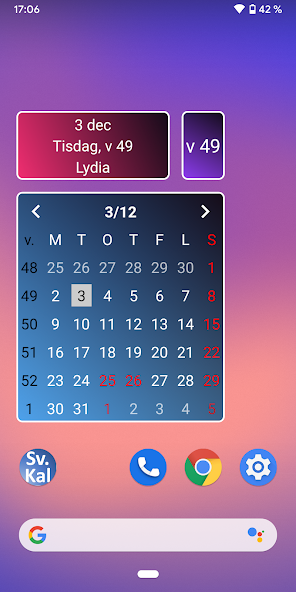
This is a Swedish calendar in the form of three so-called widgets:

- Monthly calendar.

- Daily calendar.

- Weekly issue.

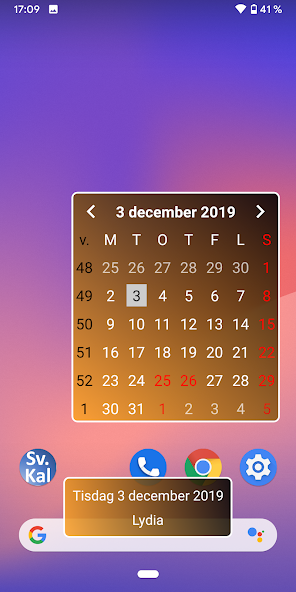
A Swedish calendar in the form of three so-called widgets: Monthly calendar, Daily calendar and Weekly number. The calendars show Swedish holidays, Swedish name days and week numbers according to the Swedish standard. Background color, text size and date format are selected by the user.

The monthly calendar shows:

- Date.

- Day of the week.

- Weekly number (according to Swedish standard).

- Swedish holidays (click on the corresponding day).

- Swedish name days (click on the corresponding day).

Scroll to the next/previous month by clicking the corresponding arrow. Click on the month name (heading) to go back to the current month.

The daily calendar shows:

- Date.

- Day of the week.

- Weekly number (according to Swedish standard).

- Swedish name day.

The week number widget simply displays the week number.

Installation:

- Go to Android screen with widgets (long press in Android background).

- Scroll/scroll to Sv. Calendar.

- Tap-drag-drop widget.

- Choose text size, date format and background color.

- Adjust the size of the widget (long press on the widget and drag the edges).

Installation video: https://youtu.be/XKffCWlDVkg

Change widget:

- Click on the top row of an installed widget.

- Change text size, date format and/or background color.

Feel free to email suggestions and comments.

No advertisement.
What's New in the Latest Version 3.0

Last updated on Jul 7, 2023 - Gör ditt eget färgschema.
- Android 13-uppdateringar.

Starta om telefonen/surfplattan efter den här uppdateringen!
Download(1.62MB)
Users also viewed
  • Quick History Cleaner

    Quick History Cleaner

    1.0 January 22, 2026
  • ActionBar Toggle Sample

    ActionBar Toggle Sample

    1.2 January 21, 2026
  • XM

    XM

    3.35.1 January 21, 2026
  • My BASE

    My BASE

    4.6.0 January 21, 2026
  • Color Collection, palettes

    Color Collection, palettes

    5.0 January 21, 2026
  • LuluBox For Android

    LuluBox For Android

    1.1.0 January 20, 2026
  • Next Talk Call Reminder Trial

    Next Talk Call Reminder Trial

    2.1.4 January 20, 2026
  • GeoComply Demo

    GeoComply Demo

    1.0.0 January 20, 2026
  • Biblium Mobile

    Biblium Mobile

    0.0.113.0 January 20, 2026
  • Tuscany Dive

    Tuscany Dive

    1.21 January 20, 2026
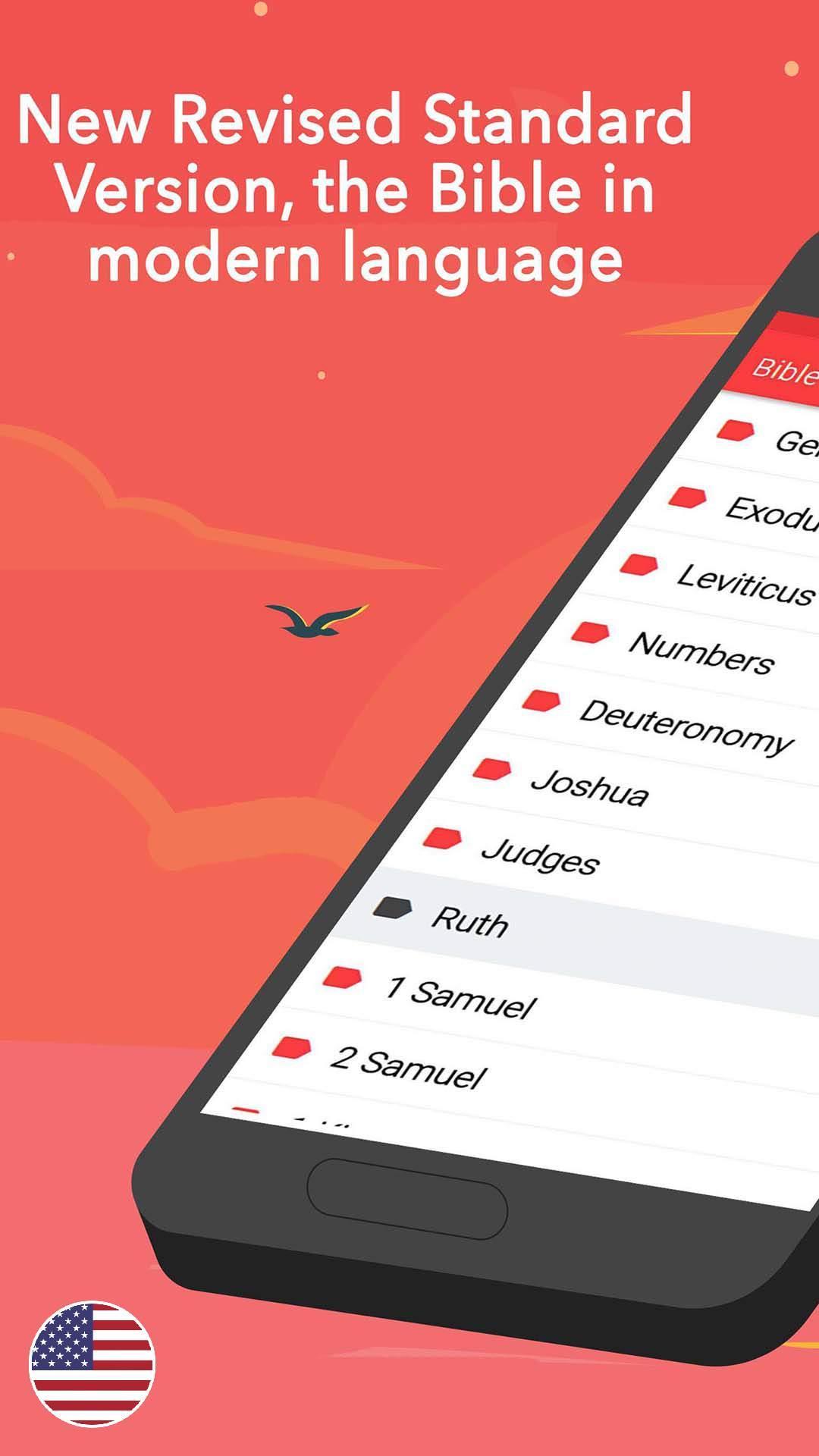
  • NRSV Bible app

    NRSV Bible app

    Nrsv Bible App 5.0 January 20, 2026
  • eAction Log

    eAction Log

    1.2 January 19, 2026
  • 100 GB storage SD

    100 GB storage SD

    1.7 January 19, 2026
  • Damaged Sd card Formatter

    Damaged Sd card Formatter

    20.0 January 18, 2026
  • Arduino BT LED Strip Control

    Arduino BT LED Strip Control

    0.1a January 17, 2026
About Privacy Policy Terms of Service Cooking Policy

© Copyright 2017-2026 downde.com