• Home
  • Games
    Action-adventure Simulation Business Role Playing Sports Competition Casual Intelligence Card Strategy Music Rhythm Text Puzzle
  • Apps
    Business Office Newsletter Social Life Entertainment Online Shopping Practical Tools Travel Educational Learning Information Reading Sports and Health
  • Articles

English 中文(简体) 中文(繁体) 한국어 日本語 Português Español Русский العربية Indonesia Deutsch Français ภาษาไทย
Home Apps Practical Tools Mouse & Keyboard Remote
Mouse & Keyboard Remote

Mouse & Keyboard Remote

1
2
3
4
5
Download
  • Version 3.4.3.7
  • Category Practical Tools
  • Package Name com.steppschuh.remoteinput
  • Update Time May 16, 2025
  • Size 6.26MB
About this app

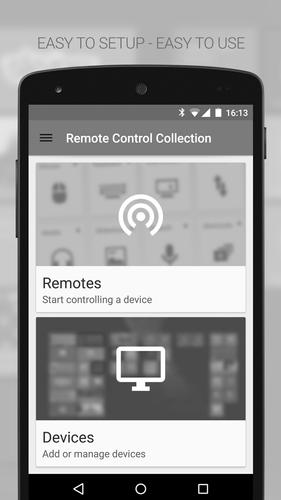
Remotly control your PC's mouse and keyboard via Wi-Fi! Be lazy!

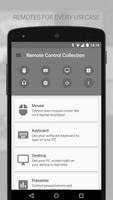
The Mouse and Keyboard Remote turns your Android phone into a wireless remote control for your PC! You can control the mouse with a touchpad (like on laptops), and type text with the Android software keyboard or a built-in hardware keyboard. You also have the ability to send frequently used shortcuts (show desktop, shutdown, etc.). The remote control works via Wi-Fi but does not require an internet connection.

Mouse Remote

Imagine your PC’s touchpad right on your Android device. Multitouch gestures like scrolling and zooming are supported. You can toggle the keyboard to send keys at the same time.

Keyboard Remote

Use the physical or virtual Android keyboard to type characters and they will appear on your PC. Important keys like Windows, Escape and Control are also available.

Speech recognition

Simply say what you want to be typed on your PC. You can also use voice commands to control your PC's media, e.g. "skip this track" or "turn the volume up".

To receive the commands from the Remote Control App, you will need the Remote Control Server. You can download it for free from:

http://server.android-remote.com

If you have trouble setting up a connection, follow this step-by-step guide or watch the video tutorial at:

http://setup.android-remote.com/

Facebook fans can test the pro version for free:

http://facebook.com/RemoteControlApps

Permissions:

Network communication

For creating network sockets and using custom network protocols to connect with the pc.

Phone calls

Is needed to create a unique device id. Used to verify purchases and register unlock codes.

Vibration

For haptic feedback.

What's New in the Latest Version 3.4.3.7

Last updated on Jul 19, 2015 Server version 3.+ required!
- Material Design UI
- New network API
- New shortcuts
- Performance improvements
Download(6.26MB)
Users also viewed
  • Lotus Pond Live Wallpaper

    Lotus Pond Live Wallpaper

    1.4 January 22, 2026
  • Archos Weather Station

    Archos Weather Station

    1.4.2 January 22, 2026
  • Anime HD Keyboard

    Anime HD Keyboard

    1.279.1.129 January 22, 2026
  • Move4U Survey App

    Move4U Survey App

    1.4.0 January 21, 2026
  • Status Report - Device Info, U

    Status Report - Device Info, U

    1.0925 January 21, 2026
  • Beautiful Camera HD

    Beautiful Camera HD

    1.2.3 January 21, 2026
  • Civil Engineering Calculations

    Civil Engineering Calculations

    1.71 January 21, 2026
  • Sweet Home AVR (Unreleased)

    Sweet Home AVR (Unreleased)

    9.99 January 21, 2026
  • US Robot Stickman Rope Hero -

    US Robot Stickman Rope Hero -

    1.0 January 21, 2026
  • NotifyClean

    NotifyClean

    3.8.6 January 21, 2026
  • A Light: 1-Click Flashlight

    A Light: 1-Click Flashlight

    2.6 January 21, 2026
  • Be with you - Locker Theme

    Be with you - Locker Theme

    1.2 January 21, 2026
  • Ilmajaam

    Ilmajaam

    5.6.4 January 21, 2026
  • Metal X GO Launcher Theme

    Metal X GO Launcher Theme

    v1.0 January 21, 2026
  • Grocery Lists  Make Shopping Simple and Smart

    Grocery Lists Make Shopping Simple and Smart

    5193 v1 January 21, 2026
About Privacy Policy Terms of Service Cooking Policy

© Copyright 2017-2026 downde.com