

Standalone running / walking app for Android Wear. With Google Fit integration.
Run a' Wear is an app for your Android Wear smartwatch which recognizes your activity - walking, running or rest - in a standalone mode: no need to carry a phone with you while exercising.
Google Fit integration is included.
After you give the app permission to access Google Fit, it will upload your exercise data to Google Fit automatically. Check the phone app's Help in the Google Fit Integration area for more information on how this works.
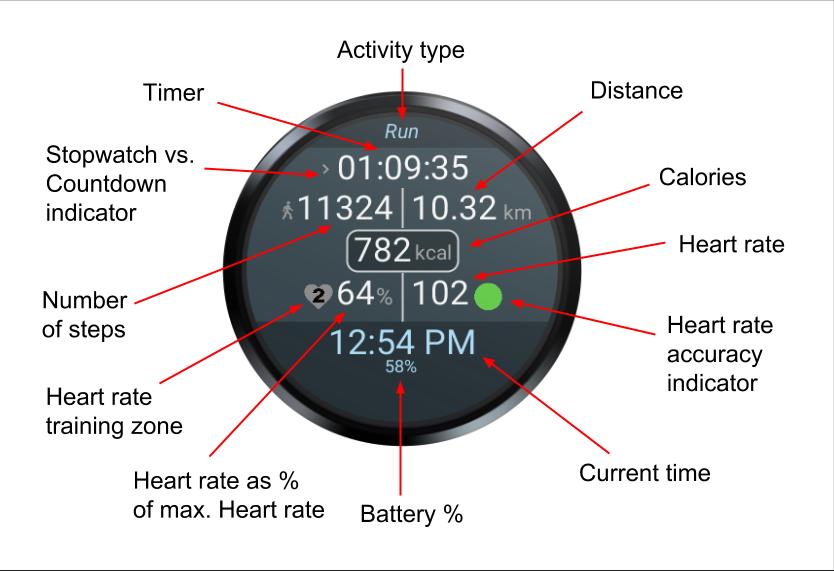
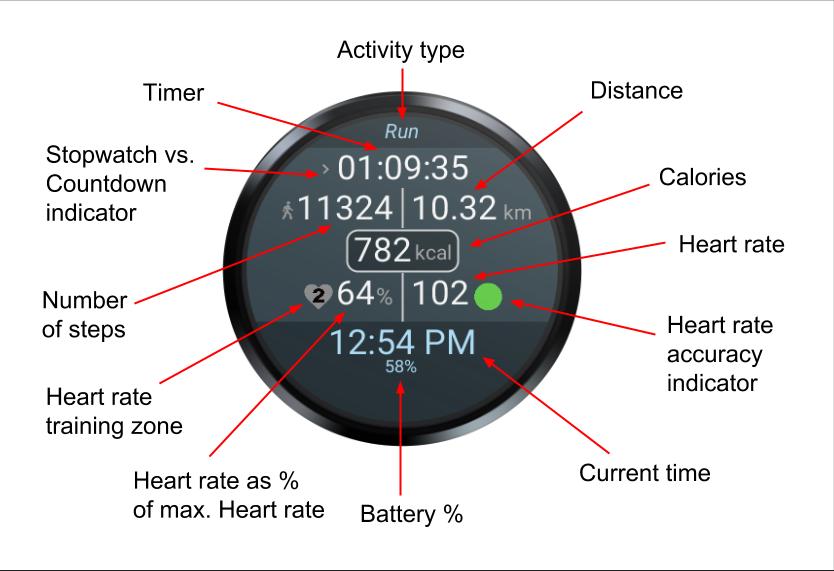
Run a' Wear displays on your Android Wear watch:
☆ Time since start of activity (stopwatch or countdown)
☆ Number of steps
☆ Distance (in km or miles)
☆ Calories expended
☆ Heart Rate
☆ Accuracy of Heart Rate measurement
☆ Heart Rate as percentage of Maximal Heart Rate
☆ Heart Rate training zone (5 zones)
☆ Current time
How it works
After the installation of the app finished - and you see the app icon both on the watch and on the phone - create a profile on the phone (see below). Then, open the app on the watch. You should now see the Start screen which allows you to choose a profile (by swiping up / down) or start a session by swiping to the left.
The app on the watch will try to recognize your activity based on what you did in the previous 10 seconds. Thus, if you suddenly change from 'walking' to 'running', there is a delay of 10 seconds until the watch recognizes that you are not walking any more but running. The distance that you walked or ran is then estimated based on your current activity and the step lengths that you have specified for the profile you are currently using.
The app on the phone gives further information about different calculations used (like the equation for determining Maximal Heart Rate or the calorie calculation).
Creating a profile
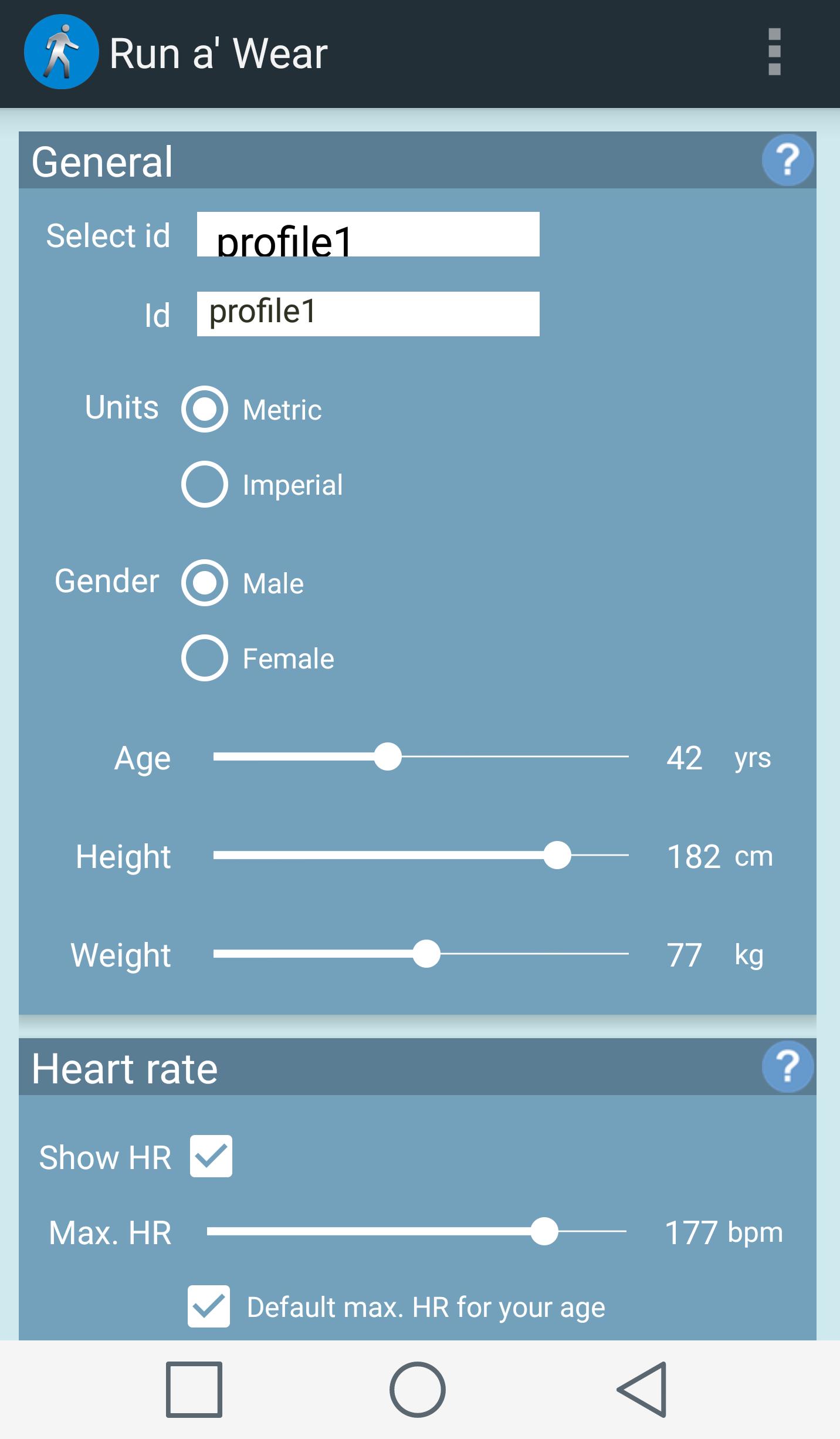
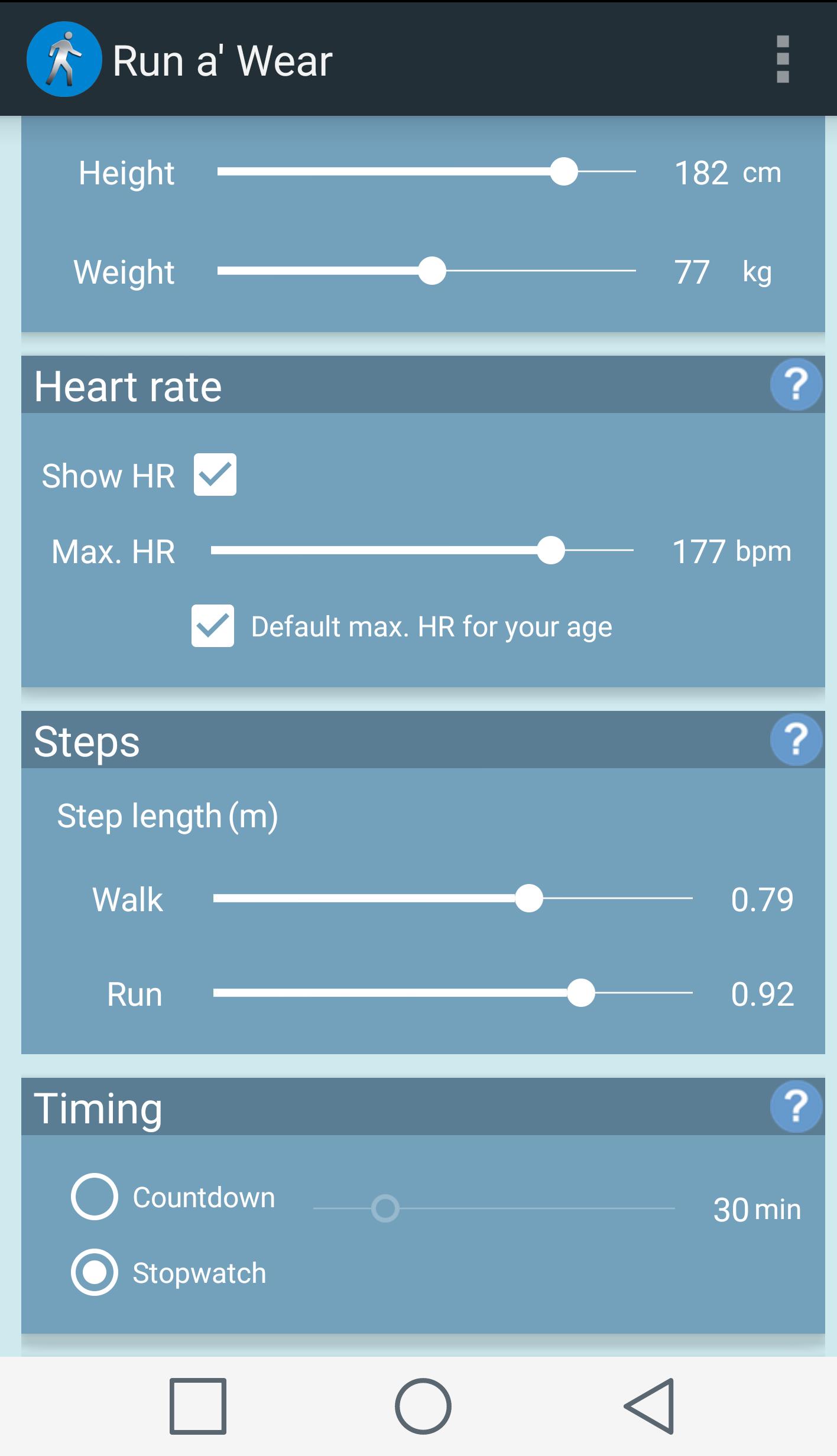
Run a' Wear has to be configured on the phone (but then can be used without the phone). You can create several profiles, varying a number of features like walking / running step length, age, gender. etc.
After you filled out the profile details in the phone app, tap the SAVE button (while the watch is near to you). This will transfer the profile to the watch.
Actions on the watch
The watch has three screens: (1) Configuration request screen (this is shown only if you haven't created at least one profile yet), (2) Start screen, (3) Main screen.
The Configuration request screen is just a screen telling you that you need to create a profile before the app on the watch can be used.
The Start screen has these actions available:
☆ Swipe left to open the Main screen
☆ Swipe right to exit from the app
☆ Swipe up / down to select a profile (in case you have created more than one profiles)
The Main screen has these actions available:
☆ Long press: brings up the 'exit' button
☆ Single tap: when in 'dimmed' mode, brings up 'normal mode' for 30 sec, with full colors and seconds in timing display
☆ Double tap: when in 'Stopwatch' mode, pauses the stopwatch, step counter and calorie counter
☆ Double tap (while 'Stopwatch' is paused): restarts the stopwatch, step counter and calorie counter
Compatible devices
☆ Phone: Android 4.3 and higher
☆ Watch: for Android Wear, with Heart Rate sensor included (like, for example, LG G Watch R or Moto 360)
Limitations
The accuracy of Heart Rate measurement strongly depends on the watch on which the app is installed: on some watches, an accurate measurement is possible only if you are not moving.
Contact
Please write email to [email protected] with any questions, comments or problems regarding the app - or leave a comment here.
Credits
☆ The 'glossy silver walker' in the Run a' Wear icon is based on an icon found at http://icons.mysitemyway.com/





 Download