

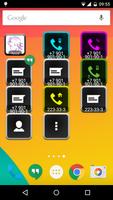
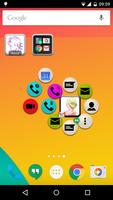
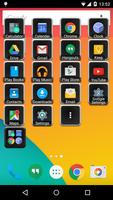
Launch applications, send sms and call your contacts quick and easy.
This widget will help you to launch apps and call your contacts quick and easy.
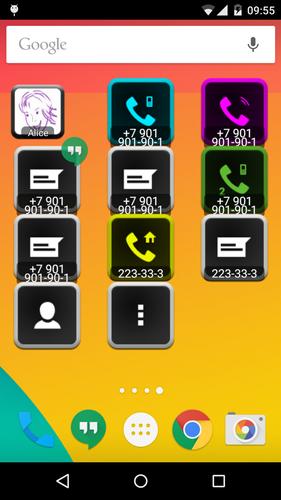
This is a set of four widgets: Contact, Contact Group, Applications Launcher and Bookmarks Launcher.
Contact widget shows photo of the contact and provides instant access to various contact’s actions: phone call, SMS, chat, email, sending messages through different instant messengers, opening post address on map, opening URLs in browser and so on. Contact widget allows your pre-select application for specified action (call, sending message or email, etc). Start any action in 1-2 tap. One-tap launch and double tap launch are supported.
Application Launcher widget shows selected by you apps at one icon. You can group some frequently used apps to widget and start those apps in 2 taps. Long tap on app opens App info page, that allows to force stop the app quickly.
Group contacts is advanced folder of contacts, that allows to start any action of any contact in 2-3 taps. Skin, color and image customization will help you to highlight contacts and find them on the screen quickly.
All widgets provide possibility to use various types of gestures: swipe, scroll, pinch, zoom. One-finger, two-finger and three-fingers gestures are supported. Don’t waste time to find out the icon of the action on the screen – just open widget and make short gesture to execute favorite app or start call to your friend.
You can save space on your home screen. Group items according to labels and create fully customizable folders and widgets. You can organize your apps, contacts and bookmarks in efficient way.
2.1:
Support of gestures (swipe, scroll, pinch, zoom, 1-3 fingers) to execute actions.
New global configuration params: "Enable gestures" and "Enable gesture's animation".
Minimum required Android API is changed from 9 to 15 (Android 4.0.3).
Limitation of number of created widgets is replaced by limitation of number of ads-free widgets.
Compatibility with Android 4.4.X was improved.




 Download