

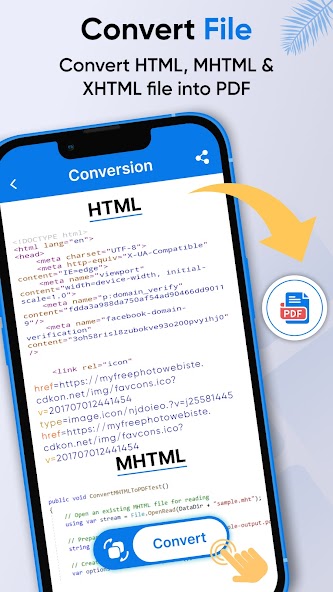
It lets the user view HTML, MHTML and XHTML files and converts them into pdf
The HTML viewer helps its users to view, open, and read the web view and HTML code. Upload the HTML file and you can easily view your desired results. The HTML viewer app is easy to use and requires no technical expertise. Using HTML viewer for Android, one can view files such as HTML, MHTML, and XHTML. In addition to it, the user can convert the mentioned formats into pdf. Finally, HTML viewer and HTML reader allow the user to create HTML file.
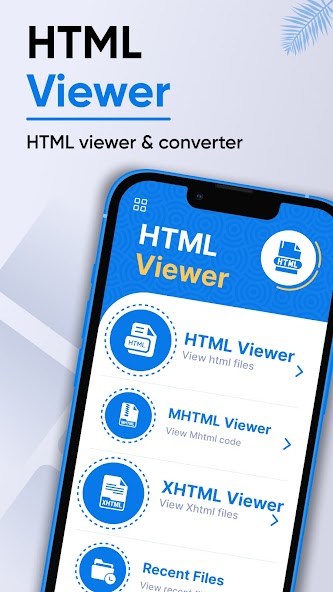
The home screen of HTML code includes seven main features; HTML viewer, MHTML viewer, XHTML viewer, recent files, create HTML, converted, and favorite. The HTML viewer feature of HTML source code allows the user to open, view and read HTML files stored in the device. The MHTML viewer feature of XHTML to pdf converter permits the user to view, open and read MHTML files. The XHTML viewer feature of MHTML viewer for Android authorizes the user to view, open and read XHTML files. The create HTML feature of MHTML to pdf lets the user create HTML files instantly. The converted feature of MHTML to pdf converter app allows the user to view the converted files directly from the app. The favorite feature of MHTML to pdf converter permits the user to view the favorite files marked by the user.
Features of HTML Viewer
1. The home screen of htm app / web page source code includes seven main features; HTML viewer, MHTML viewer, XHTML viewer, recent files, create HTML, converted, and favorite.
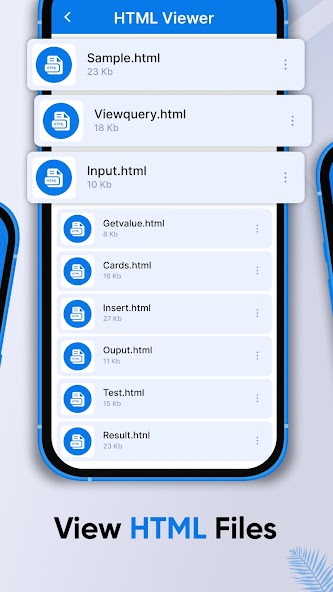
2. The HTML viewer feature of HTML viewr / read HTML allows the user to open, view and read HTML files stored in the device. Upon clicking, the user can determine the title of the file, along with its size. Using this HTML viewer reader app, one can get the code as well as the web view of the file. In addition, they can convert the file into PDF. Finally, the user can do the following with the HTML file; view it, convert it into PDF, favorite it, share it, and delete it directly from the html/MHTML viewer app.
3. The MHTML viewer feature of HTML to pdf converter / XHTML viewer permits the user to view, open, and read MHTML files. Upon clicking, the user can determine the title of the file, along with its size. Using this mht app, one can get the code as well as the web view of the file. Moreover, they can convert the file into PDF. Finally, the user can do the following with the MHTML file; view it, convert it into PDF, favorite it, share it, and delete it directly from the MHTML app.
4. The XHTML viewer feature of MHTML reader / XHTML authorizes the user to view, open and read XHTML files. Upon clicking, the user can determine the title of the file, along with its size. Using this MHTML converter, one can get the code as well as the web view of the file. Furthermore, they can convert the file into PDF. Finally, the user can do the following with the XHTML file; view it, convert it into PDF, favorite it, share it, and delete it directly from the MHTML view app.
5. The create HTML feature of MHTML viewer / htmlis lets the user create HTML file instantly. Upon clicking, the user needs to type the code and then select the view output to create the HTML file. Finally, they can save the created file using the save tab at the top.
6. The converted feature of MHTML viewer app allows the user to view the converted files directly from the app. Upon clicking, the user can determine the title of the file, along with its size. Finally, they can view the pdf-converted file without any hustle.
7. The favorite feature of MHTML viewer to pdf permits the user to view the favorite files marked by the user. Upon clicking, the user can determine the title of the file, along with its size. Finally, the user can do the following with the favorite file; view it, share it, and delete it directly from the MHTML viewer for Android.
How to Use HTML Viewer
1. If the user wants to view the HTML files, they are required to select the HTML viewer tab.
✪ Disclaimers
1. All copyrights reserved.





 Download