• Home
  • Games
    Action-adventure Simulation Business Role Playing Sports Competition Casual Intelligence Card Strategy Music Rhythm Text Puzzle
  • Apps
    Business Office Newsletter Social Life Entertainment Online Shopping Practical Tools Travel Educational Learning Information Reading Sports and Health
  • Articles

English 中文(简体) 中文(繁体) 한국어 日本語 Português Español Русский العربية Indonesia Deutsch Français ภาษาไทย
Home Apps Practical Tools HELMUT Film Scanner
HELMUT Film Scanner

HELMUT Film Scanner

1
2
3
4
5
Download
  • Version 2.3
  • Category Practical Tools
  • Package Name dk.codeunited.helmut
  • Update Time August 8, 2025
  • Size 50MB
About this app

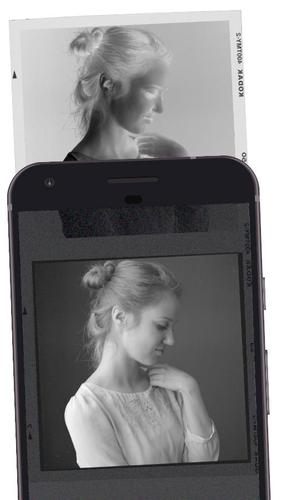
Scan film using your phone! Digitize your negatives without buying any hardware.

HELMUT is the ultimate analog film scanner on your phone.

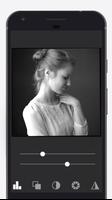
The app uses a unique algorithm to automatically color-correct your negatives. The built in manual controls allow adjusting levels, saturation, gamma, brightness/contrast & sharpness of the image.

The new version 2.0 was built from a scratch and features a new minimal UI and a much faster & sophisticated image processing technique.

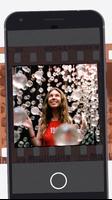
The app can be used to digitize any type of color and black & white negative film. It does invertion & color-correction real time and can be employed as a quick contact-sheet tool.

Instructions

1. Place and press a negative uniformly on whatever you like (see section Lighting the Film below).

2. Choose the film size and type.

3. Tweak the scan using the in-app photo editing toolkit.

General Guidelines

* Make sure you light the film frame uniformly.

* Don't use flash or any color effects while capturing the frame with the camera.

* Leave out the film perforations when capturing. The colors will be more accurate then.

* Try eliminating other sources of light. Put your main light source (see next section) into a box with a single hole for a phone lens on top of it. This fixes the excessive contrast or color cast in the resulting scan.

Lighting the Film

No matter what you use, make sure it's lit uniformly.

Suggested light sources:

* Your laptop screen with an empty Notepad window (and turn on max brightness of the screen).

* iPad, Tab, any tablet with some lightbox app open. Or just plain white screen.

* Your window pointing to the sky.

* Google "DIY film lightbox".

What's New in the Latest Version 2.3

Last updated on Jan 12, 2018 Added support for picking a negative/positive scan from the Gallery.
Download(50MB)
Users also viewed
  • AFTrack Grib plugin

    AFTrack Grib plugin

    1.0.6 December 25, 2025
  • Pasatiempo Telcel

    Pasatiempo Telcel

    12.00 December 25, 2025
  • Home Furnishings

    Home Furnishings

    5.1.0 December 24, 2025
  • Lava Go Keyboard Theme

    Lava Go Keyboard Theme

    1.188.1.84 December 24, 2025
  • Dialer Theme G Black Orange

    Dialer Theme G Black Orange

    350 December 24, 2025
  • FLOQ Speedtest

    FLOQ Speedtest

    2.7.1995 December 24, 2025
  • TL Flash Light

    TL Flash Light

    1.01 December 23, 2025
  • Full size Wallpaper

    Full size Wallpaper

    1.7.1.3 December 23, 2025
  • DVR:Blue Darkness

    DVR:Blue Darkness

    1.0 December 23, 2025
  • I-REACT

    I-REACT

    1.5.5 December 23, 2025
  • instax SHARE

    instax SHARE

    3.4.9 December 23, 2025
  • Lava Care

    Lava Care

    16.3 December 23, 2025
  • Big Clock Widget

    Big Clock Widget

    1.4 December 23, 2025
  • oiot.ru

    oiot.ru

    4.11.12 December 23, 2025
  • Mantis Gamepad Pro Beta

    Mantis Gamepad Pro Beta

    3.1 December 22, 2025
About Privacy Policy Terms of Service Cooking Policy

© Copyright 2017-2025 downde.com