

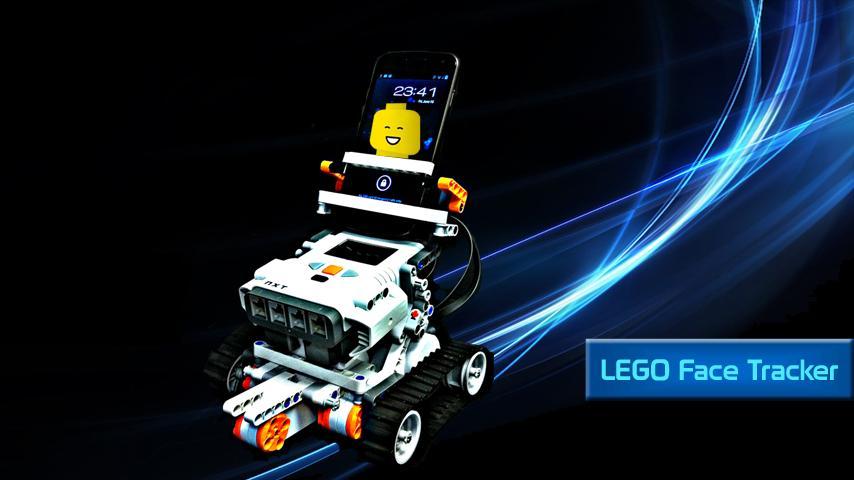
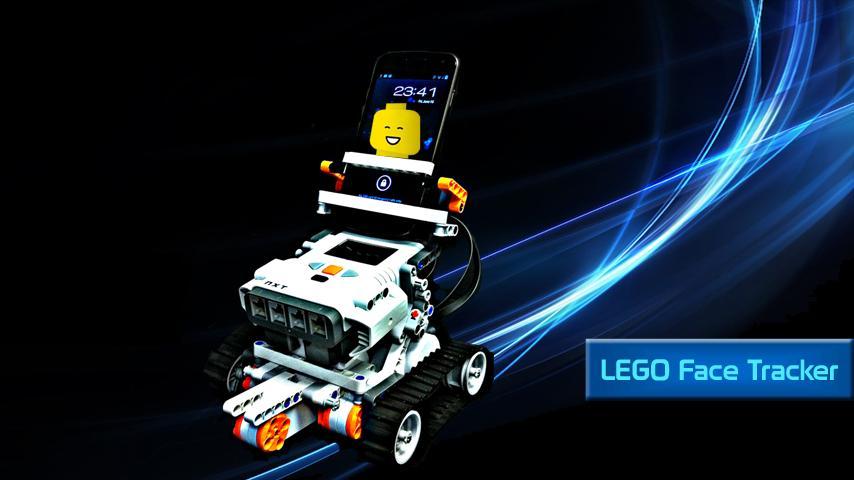
Upgrade your LEGO NXT Mindstorms vehicle to follow your face everywhere you go
Who said LEGO NXT Mindstorms doesn’t have a camera?
Upgrade your Lego vehicle to follow your face everywhere you go, using an Android smartphone!
Cool ha?
To start having fun with Lego NXT please follow the following instructions:
Setting up Lego NXT:
a. Build a basic vehicle according to the quick start building instructions (http://mindstorms.lego.com/en-us/support/buildinginstructions/8547/default.aspx)
You can use any custom-built car, even the lego segway! Just make sure that:
1. The right wheel’s motor should be connected to the B port.
2. The left wheel’s motor should be connected to the C port.
3. The car does not have 4 wheels. (it will work fine with every 3 wheels car)
b. Add the docking station for your Android smart phone according the instructions in here http://www.robotappstore.com/Files/AppFiles/LEGOFaceTrackerBuildingInstructions.pdf;
c. Turn on the robot;
d. Make sure Lego's battery is full;
e. Change Lego sleep time: Go into Lego's brick Settings -> Sleep -> change to 30 minutes;
f. You are done!
Connecting the Lego NXT Face Tracker app to your robot:
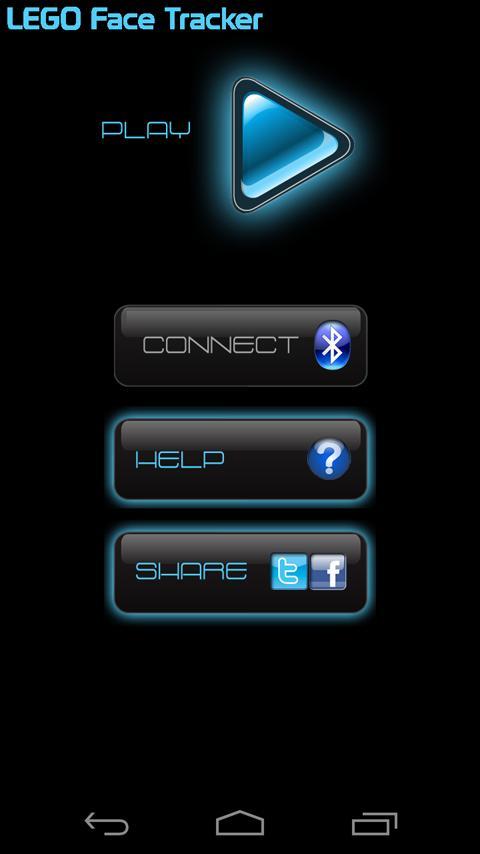
a. On the main screen of the Android app – click the “Connect” button. If the Bluetooth icon is red – the robot is not connected. If the Bluetooth icon is blue – the robot is connected.
b. Select the robot from the list of available Bluetooth devices. Note: Unless you’ve changed, the name should be “NXT”. if you’ve been asked for a password, the default is 1234. (Unless you’ve changed it from the NXT)
c. When the connection is successful – the Bluetooth icon will turn blue, and the button will be disabled.
d. Insert your Android smart phone into its docking station that you've built;
Making your Lego NXT follow your face:
a. Place your robot on a clear surface like a table. The robot should be facing towards your face;
b. Click on the big Play button on the top of the main screen.
c. Look at your robot till you see your face on the Android’s screen surrounded by a blue frame;
d. The robot will move and correct its position until your face frame in the middle of the screen;
e. Move your pretty face left, right or away from the robot and you'll see how the robot follows you.
f. The robot will NOT stop driving if it hits something on the way, nor stop before falling from the table. If you are crazy enough to cause this little creature to commit a suicide, you are not deserved for this smart machine!
g. In case that the Bluetooth connection is lost, the robot will not be stopped – you might need to turn it off manually. (appropriate message will be shown)
Act carefully! Lego's life is in your hands! The developers of this app have no responsibility for any damage that can be caused by using the app!
Use at your own risk!
If you lose control on your robot- just turn it off.
You can always contact [email protected] and suggest new cool features/apps to your cool robot!
Enjoy! :)
More details on http://www.robotappstore.com/link/253E65C6
LEGO®is a trademark of the LEGO Group of companies which does not sponsor, authorize or endorse this app. This app does not feature any of LEGO's copyrighted or trademarked material, and is in accordance with their fair use guidelines.


 Download