

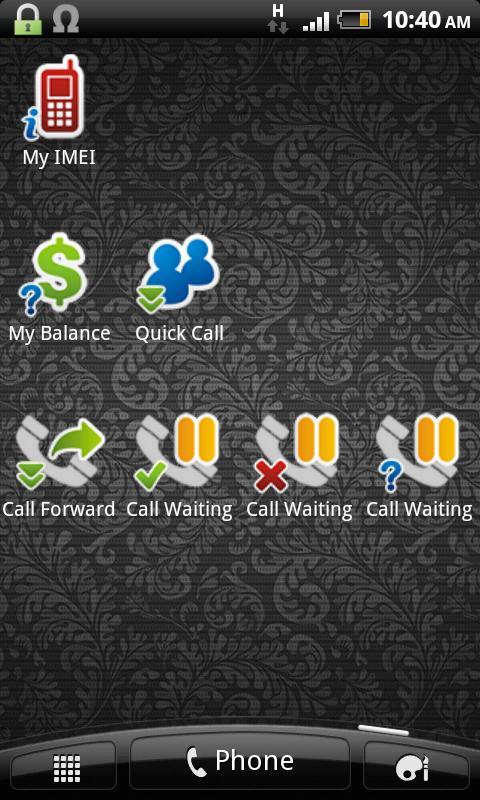
Create a shortcut to the Dial-pad in your Home screen.
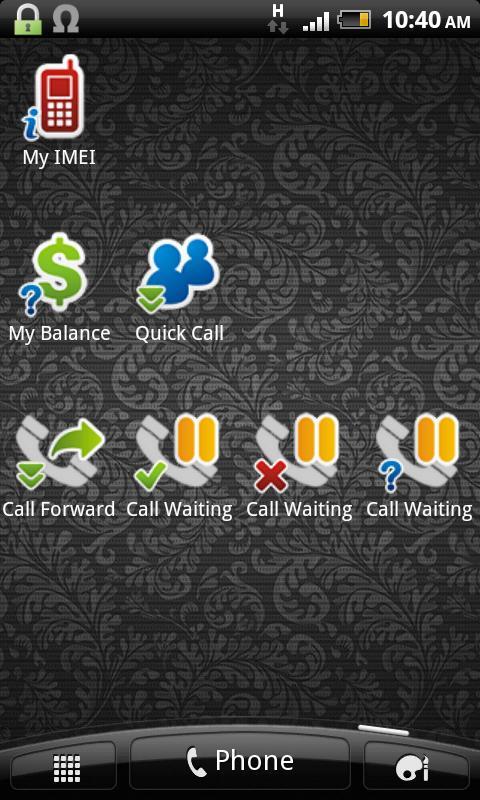
Dialpad Shortcut Widgets – The widgets that provide a shortcut to the Dialpad.
In short, all things you can do with the dialpad, you can create a shortcut on the home screen to make it easy to access, by using this app. You can make a shortcut to call a phone number, shortcut to activate/deactivate or to check the status of the supplementary services like call forwarding, call barring... with a single click. Or you can make a shortcut for the USSD command (e.g for balance checking) or MMI command (Man-Machine Interface, e.g *#06# for IMEI, *#*#4636#*#* …).
There are 3 widgets with different sizes (1x1, 2x1 and 4x1), that provide a total of 7 widget items. However you can practically create unlimited number of items by setting the widget item as the “Dropdown Menu”.
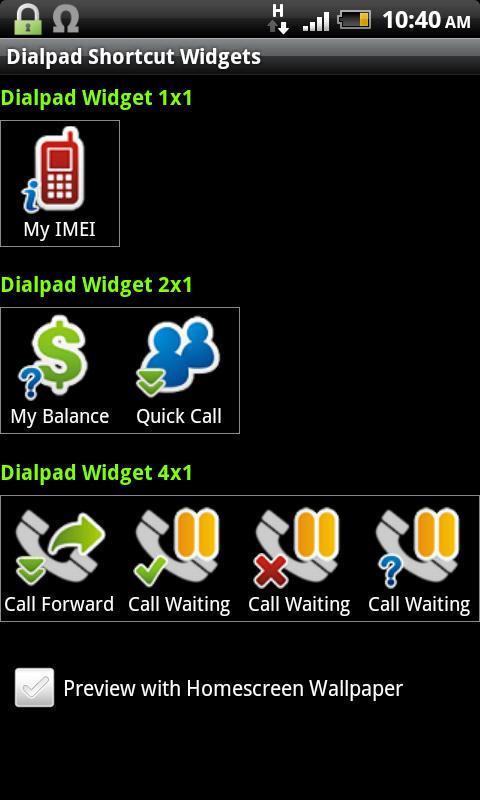
1. Main GUI:
- Here you can see 3 widgets with different sizes.
- Click on the widget item to configure it.
- Click “Preview with Homescreen Wallpaper” check box to see how the widgets will display on the real home screen.
- After configuring the widget items, exit the app and back to the home screen, long tap on the home screen, select Widgets and then select “Dialpad Shortcut 1x1”, “Dialpad Shortcut 2x1” or “Dialpad Shortcut 4x1” to make it usable.
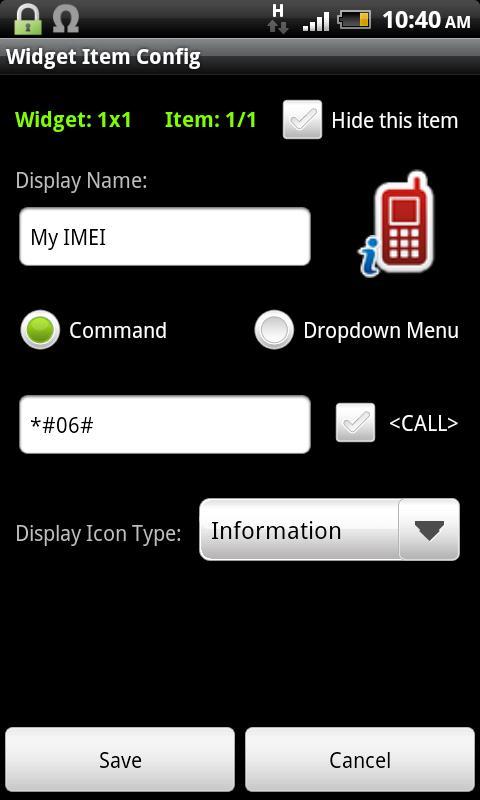
2. “Widget Item Config” GUI:
- Here you can configure the widget item such as name, icon image, icon type.
- You can set the item action when the user taps it on the home screen. Select “Command” radio button and enter command string that immediately executed, or select “Dropdown Menu” to display the menu.
- With the “Dropdown Menu”, you can add the new menu items by select the menu “Add Menu Item”. To edit the existing menu item, click on it. Long click on the menu item to delete it.
- In the Command field, you can enter the phone number (to call a person), the USSD string (e.g for balance checking, ask your mobile operator for the USSD syntax), or the MMI command (e.g *#21# {CALL} for call forwarding status, or *#06# for the IMEI...)
- Select the {CALL} check box if you want to enter the command string in the dialpad followed by pressing the “Call” button. Otherwise leave it unchecked.
- Select “Hide this item” to make the item invisible.
For the MMI Command reference, please use my app “Advanced Call Settings” on the Google Play (https://play.google.com/store/apps/details?id=org.vndnguyen.advcallsettings) and switch to the “Reference Mode” (menu Operation - Reference Mode), select the appropriate services to get an MMI command.
Any comment or suggestion are very welcome. Please visit:
http://forum.xda-developers.com/showthread.php?t=2069948
v1.1.5:
- Add Android Hidden Codes, Phone Manufacturer's Hidden Codes and VinaPhone USSD Commands in the Command Reference menu.









 Download