

Shop Google Play on the web. Purchase and enjoy instantly on your Android phone or tablet without the hassle of syncing.
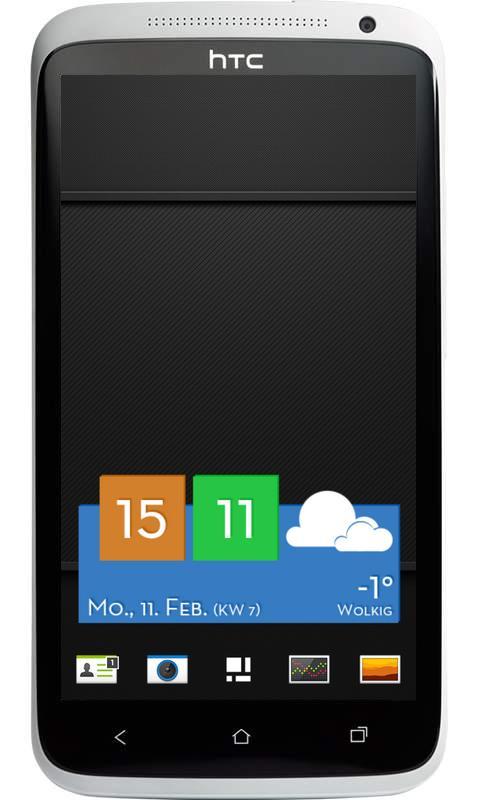
Windows 8 mixed up with Sense!
All colors editable.
--------------------------------------
FEATURES
--------------------------------------
* Time, date, weather condition.
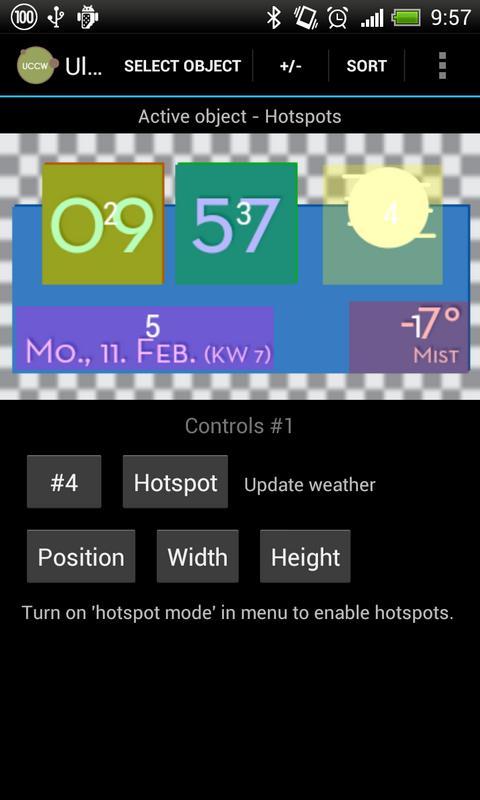
* 5 Hotspots on the widget
- Alarm of your standard clock (click on the hours)
- Add new calendar event (click on the date)
- Update weather (click on the weather icon)
- Open UCCW Editor (click on the temperature)
- 1 Hotspot is customizable (minutes) with app/function - just click on the minutes, than choose your favourite app/function.
--------------------------------------
REQUIRED APP
--------------------------------------
You need the latest version of **Ultimate Custom Widget (UCCW)**.
It's a free app, just download it from the Play store: http://goo.gl/eDQjG
THX to VasuDev for creating the awesome UCCW!
--------------------------------------
HOW TO USE THIS SKIN
--------------------------------------
Follow these steps to add this UCCW widget to your homescreen:
1) Long press homescreen, select add widget - or from your app drawers widget-tab (depending on android version and home launcher).
2) Add a new UCCW widget (4x2).
3) UCCW widget list will appear, choose "Winsense".
4) Touch the pointing finger - appears automatically.
5) ENJOY!
--------------------------------------
IMPORTANT NOTES
--------------------------------------
1) After installing this skin it will only be added to the UCCW app widget list that opens when you add a new UCCW widget. It will not open, it will not be in the "open/manage skins" list in UCCW, and you will not find it in your app drawer.
2) 2 Hotspots are free to edit, see above under “FEATURES”. If you have any problems: please comment or send a mail to [email protected].
3) Please familiarize yourself with the UCCW app and all internal settings. [Menu] -> [Settings] and make sure you set your auto/manual location and format, weather update interval, as well as the night start/end times......
Any trouble?
Please let me know, thanks!
P.S.: “Sense” is a registered trademark of HTC. “Windows 8” is a registered trademark of Microsoft.















 Download