• Home
  • Games
    Action-adventure Simulation Business Role Playing Sports Competition Casual Intelligence Card Strategy Music Rhythm Text Puzzle
  • Apps
    Business Office Newsletter Social Life Entertainment Online Shopping Practical Tools Travel Educational Learning Information Reading Sports and Health
  • Articles

English 中文(简体) 中文(繁体) 한국어 日本語 Português Español Русский العربية Indonesia Deutsch Français ภาษาไทย
Home Apps Business Office C-Pen Core
C-Pen Core

C-Pen Core

1
2
3
4
5
Download
  • Version 0.9.32
  • Category Business Office
  • Package Name com.ctech.cpenservice
  • Update Time October 15, 2025
  • Size 29.53MB
About this app

Capture printed text with C-Pen digital highlighter!Requires device C-Pen 3.5.

Use with C-Pen 3.5 Digital Highlighter & OCR!

http://www.cpen.com/products

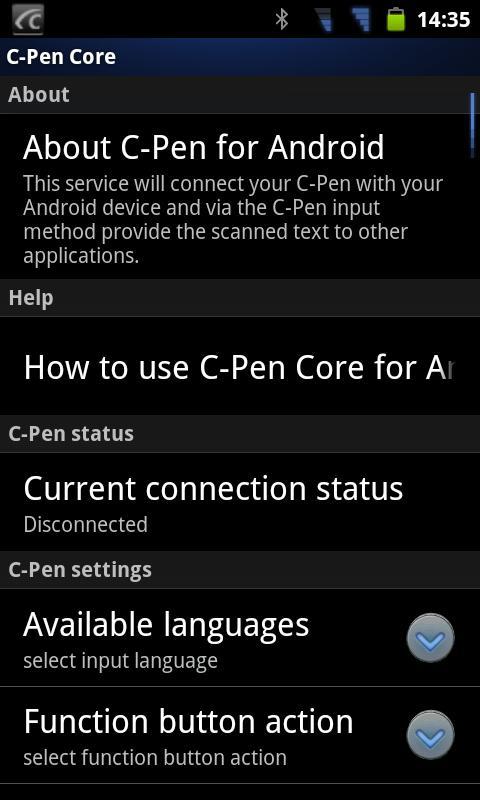
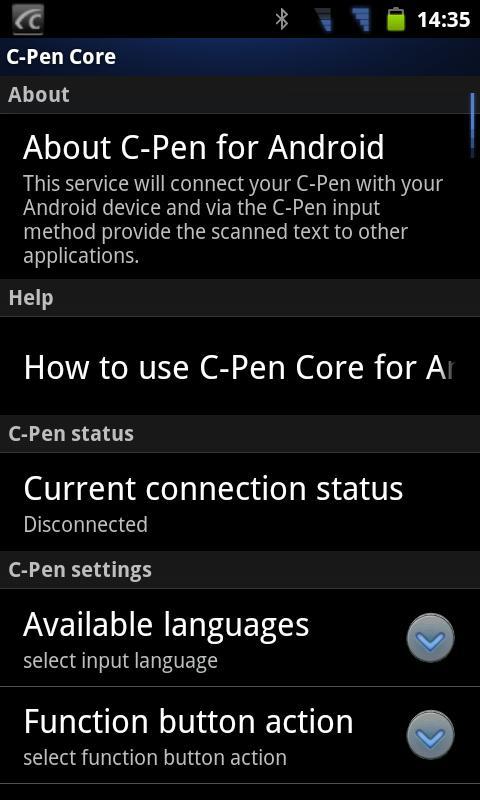
C-Pen Core enables you to use your Bluetooth enabled C-Pen 3.5 together with your Android smartphone and tablet.

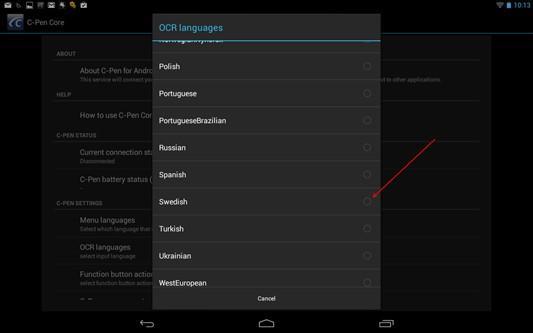
Includes OCR engine supporting 60-ish languages based on Latin, Greek, and Cyrillic character sets.

Scans directly into C-Pen Note (separate app available on Google Play).

If scanning to other apps you need to enter C-Pen Core settings and trigger download of "Anysoftkeyboard (C-Pen ready)". Use standard Anysoftkeyboard language pack on Google Play to localize Anysoftkeyboard.

Enter Android Settings->Language and Input to activate Anysoftkeyboard.

To scan into other text apps, e.g. email, notes, etc., just change Input Method to Anysoftkeyboard.

Known issue: if problem with Android 2.x, then use http://download.anoto.com/ctech/Android/cpenservice/com.ctech.cpenservice_0.9.29.apk

Keywords: c-pen, cpen, svox, tts, translation

And best of all... It's FREE!

Pair C-Pen 3.5 Bluetooth: PIN 1234

Start the app manually once to accept EULA!

Status: Beta release. Installed and running well on several Samsung, Sony Ericsson and HTC smartphones/tablets.

Known issues:

1) May require restart after installation.

2) Some interoperability issues experienced with some HTC Legend.

Report any other issues to: [email protected]

Tags: cpen, ocr, scanner

What's New in the Latest Version 0.9.32

Last updated on Sep 24, 2015 C-Pen is a single line OCR scanner.

For C-Pen as Input Method: NEW keyboard based on Anysoftkeyboard (credit to Menny Even Danan - https://plus.google.com/communities/106050362696748221135) enabling user to localize with Anysoftkeyboard language pack.
Download(29.53MB)
Users also viewed
  • Quick History Cleaner

    Quick History Cleaner

    1.0 January 22, 2026
  • ActionBar Toggle Sample

    ActionBar Toggle Sample

    1.2 January 21, 2026
  • XM

    XM

    3.35.1 January 21, 2026
  • My BASE

    My BASE

    4.6.0 January 21, 2026
  • Color Collection, palettes

    Color Collection, palettes

    5.0 January 21, 2026
  • LuluBox For Android

    LuluBox For Android

    1.1.0 January 20, 2026
  • Next Talk Call Reminder Trial

    Next Talk Call Reminder Trial

    2.1.4 January 20, 2026
  • GeoComply Demo

    GeoComply Demo

    1.0.0 January 20, 2026
  • Biblium Mobile

    Biblium Mobile

    0.0.113.0 January 20, 2026
  • Tuscany Dive

    Tuscany Dive

    1.21 January 20, 2026
  • NRSV Bible app

    NRSV Bible app

    Nrsv Bible App 5.0 January 20, 2026
  • eAction Log

    eAction Log

    1.2 January 19, 2026
  • 100 GB storage SD

    100 GB storage SD

    1.7 January 19, 2026
  • Damaged Sd card Formatter

    Damaged Sd card Formatter

    20.0 January 18, 2026
  • Arduino BT LED Strip Control

    Arduino BT LED Strip Control

    0.1a January 17, 2026
About Privacy Policy Terms of Service Cooking Policy

© Copyright 2017-2026 downde.com