

Tracks your location history in a battery-efficient way
BX Tracker is a battery-efficient location tracking application that lets you forget about battery consumption and run it constantly 24h per day. Track your mobility during days, weeks, months, and even years!
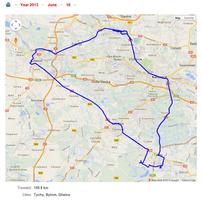
The application is completely free of charge and ad-free, because it is a research project. BX Tracker anonymously collects data on location and on mobile network. We use the data for scientific publications, taking care about user privacy. Each user is assigned a completely random identifier that makes his data anonymous. BX Tracker is different than ordinary GPS trackers, as it activates automatically only when you move. You can forget about GPS draining your battery and have it constantly on. BX Tracker lets you browse your travelling history on a map and download your data in the KML file format. The application works without Internet connection - even in the airplane mode.
Features
• Battery-efficient tracking of your location for days, weeks, and months
• Automatic data upload each 3 hours
• Free web service for viewing your travel history and statistics
• Ability to download KML files with your data
• Completely free of charge and ad-free
• By using BX Tracker you support a scientific research project! :)
Quick start guide
1. Make sure you have the latest Google Play services installed and enabled on your device.
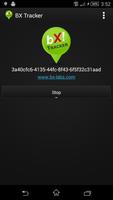
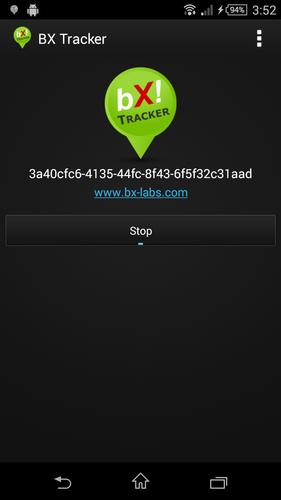
2. Install BX Tracker and open it. Just below the green icon it will show your random identifier that you can use to log into your travel history (the "ID").
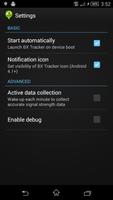
3. In app options, choose "System settings…". Enable all location methods and, if visible, set the location mode to "High accuracy".
4. Start BX Tracker. Whenever the "Start" button is on, the application is tracking your movements and uploading the data.
5. You are ready to go! After some time, log into our web service at http://www.bx-labs.com/
Notes
There is a few minute processing delay for your data to be visible in the map browser after you upload it. You need to upload some data before first login. If you don't see your movements on the map, and the BX Tracker notification on your device stays at zero, your device may be not supported. This is due to the fact that the activity recognition system requires the accelerometer to work even with the screen off. However, almost all new smartphones should work without a problem.
This application is in beta. Please contact us if you need support at [email protected]




 Download