• Home
  • Games
    Action-adventure Simulation Business Role Playing Sports Competition Casual Intelligence Card Strategy Music Rhythm Text Puzzle
  • Apps
    Business Office Newsletter Social Life Entertainment Online Shopping Practical Tools Travel Educational Learning Information Reading Sports and Health
  • Articles

English 中文(简体) 中文(繁体) 한국어 日本語 Português Español Русский العربية Indonesia Deutsch Français ภาษาไทย
Home Apps Practical Tools Pink Dark Star GO SMS Theme
Pink Dark Star GO SMS Theme

Pink Dark Star GO SMS Theme

1
2
3
4
5
Download
  • Version 3.0
  • Category Practical Tools
  • Package Name com.jb.gosms.theme.darkstar
  • Update Time December 4, 2025
  • Size 3.82MB
About this app

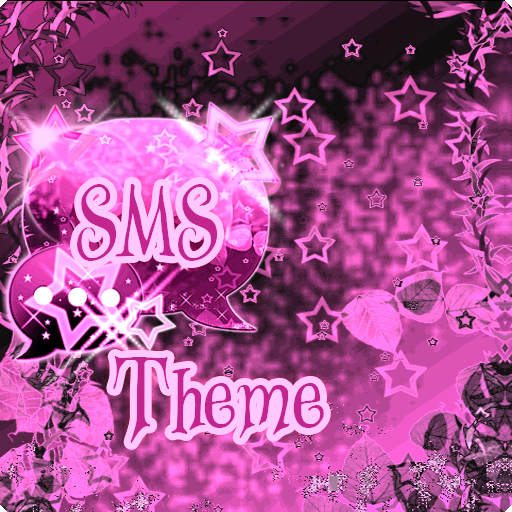
If You love pink, You'll love pink dark star. For GO SMS Pro theme.

Theme pink dark star works only with GO SMS Pro application, if you don't have it, download for free from Google Play.

If you really like the sweet stars You will love the pink star free skin gosms. This application helps You customization and personalization your GO SMS Pro with beautiful ornamentation - pink wallpaper, fonts and icons.

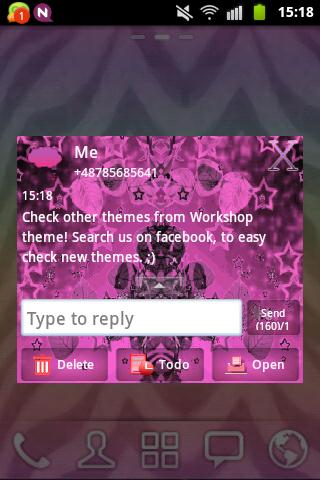
This theme helps you customization and personalization your phone to beautiful pink lovely style!

This free theme has a very nice wallpaper and icons.

To apply the theme(also for GO Chat):

1. Download this theme from Google Play for free

2. Download GO SMS Pro for free

3. Install and launch GO SMS app

3. Press right to see options and press theme

4. Press "Installed" tab

5. Tap the - cute sweet GO SMS Theme pink dark star

Try now beautiful styled with tons of customization options

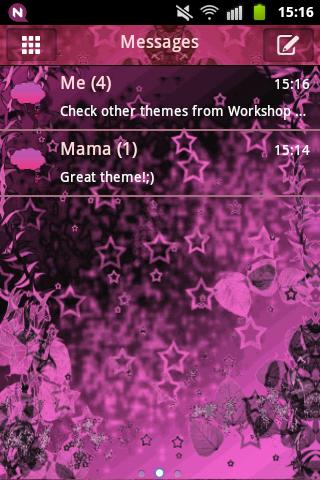
To change appearance settings about conversation list

1. Press Menu

2. Press Advanced

3. Press Appearance Settings.

4. Press Conversation List Customization

And now You can adjust for each other, you can change:

- Background in messages.

- Displayed contact pictures.

- Contact font.

- Or reset this setting as to default.

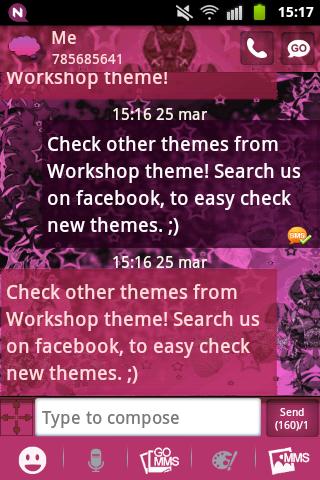
To change appearance settings about conversation style

1. Press Menu

2. Press Advanced

3. Press Appearance Settings.

4. Press Conversation customization

If you want to use avatar icon for any contact simply change it and the new image for each contacts are visible on conversation list and messages SMS list.

Disclaimer: this application uses interstitial ads and banners.

Themes are published all the time, so remember to check our developer account regularly.

Style was created by WorkshopTheme

What's New in the Latest Version 3.0

Last updated on Apr 22, 2019 Fixed bugs
Download(3.82MB)
Users also viewed
  • Lotus Pond Live Wallpaper

    Lotus Pond Live Wallpaper

    1.4 January 22, 2026
  • Archos Weather Station

    Archos Weather Station

    1.4.2 January 22, 2026
  • Anime HD Keyboard

    Anime HD Keyboard

    1.279.1.129 January 22, 2026
  • Move4U Survey App

    Move4U Survey App

    1.4.0 January 21, 2026
  • Status Report - Device Info, U

    Status Report - Device Info, U

    1.0925 January 21, 2026
  • Beautiful Camera HD

    Beautiful Camera HD

    1.2.3 January 21, 2026
  • Civil Engineering Calculations

    Civil Engineering Calculations

    1.71 January 21, 2026
  • Sweet Home AVR (Unreleased)

    Sweet Home AVR (Unreleased)

    9.99 January 21, 2026
  • US Robot Stickman Rope Hero -

    US Robot Stickman Rope Hero -

    1.0 January 21, 2026
  • NotifyClean

    NotifyClean

    3.8.6 January 21, 2026
  • A Light: 1-Click Flashlight

    A Light: 1-Click Flashlight

    2.6 January 21, 2026
  • Be with you - Locker Theme

    Be with you - Locker Theme

    1.2 January 21, 2026
  • Ilmajaam

    Ilmajaam

    5.6.4 January 21, 2026
  • Metal X GO Launcher Theme

    Metal X GO Launcher Theme

    v1.0 January 21, 2026
  • Grocery Lists  Make Shopping Simple and Smart

    Grocery Lists Make Shopping Simple and Smart

    5193 v1 January 21, 2026
About Privacy Policy Terms of Service Cooking Policy

© Copyright 2017-2026 downde.com