• Home
  • Games
    Action-adventure Simulation Business Role Playing Sports Competition Casual Intelligence Card Strategy Music Rhythm Text Puzzle
  • Apps
    Business Office Newsletter Social Life Entertainment Online Shopping Practical Tools Travel Educational Learning Information Reading Sports and Health
  • Articles

English 中文(简体) 中文(繁体) 한국어 日本語 Português Español Русский العربية Indonesia Deutsch Français ภาษาไทย
Home Apps Life Entertainment Voice Control Remote
Voice Control Remote

Voice Control Remote

1
2
3
4
5
Download
  • Version 0.1.3
  • Category Life Entertainment
  • Package Name com.sgriffinusa.VoiceControlRemote
  • Update Time December 29, 2025
  • Size 181.72KB
About this app

Enjoy millions of the latest Android apps, games, music, movies, TV, books, magazines & more. Anytime, anywhere, across your devices.

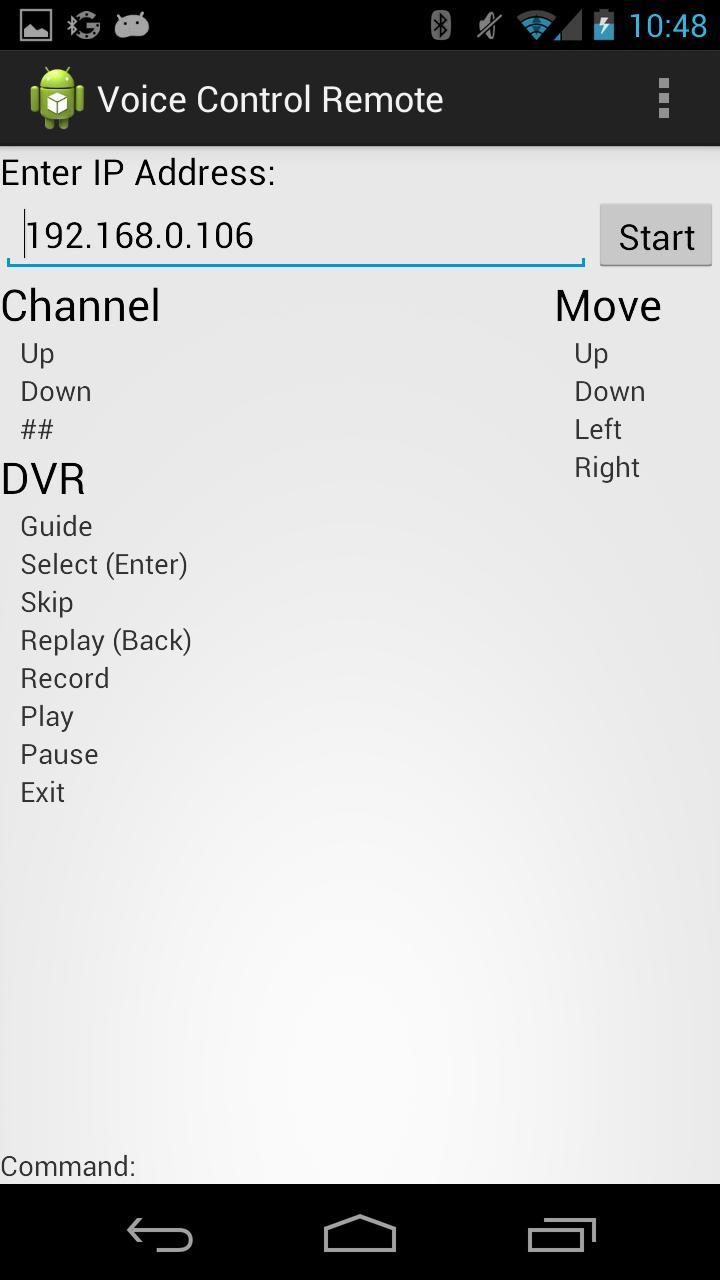
A voice controlled remote for DirecTV DVRs.

Your phone or tablet must be connected to the internet and on the same network as your DVR in order to work. For example, using the device in cellular mode only will not work.

To use this application, your DirecTV DVR must be connected to your home network. You must also know the IP address of your DVR. To find the IP address, go to Setup->System Setup->Info & Test->More system info. Scroll down the page until you see a listing under Network for IP Address. This should be a list of numbers, in the form of xxx.xxx.xxx.xxx (Ex: 192.169.1.100). If you do not see a number, the receiver is not currently connected to your home network.

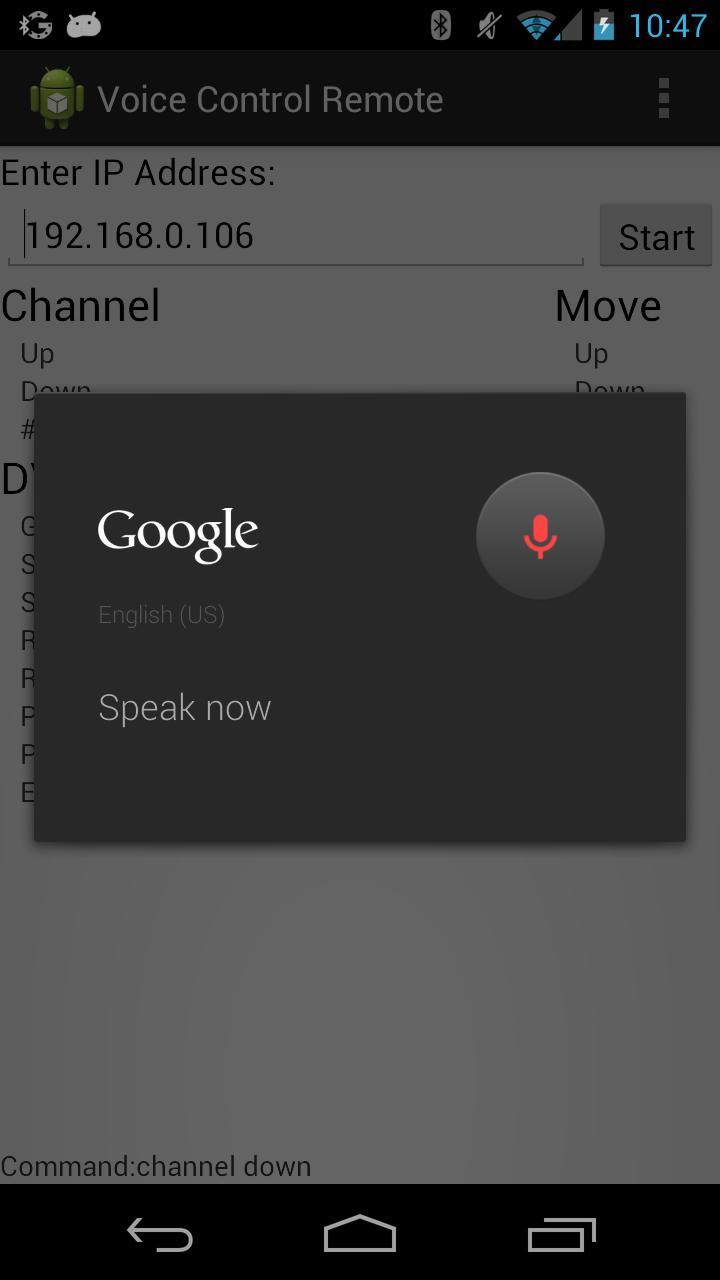
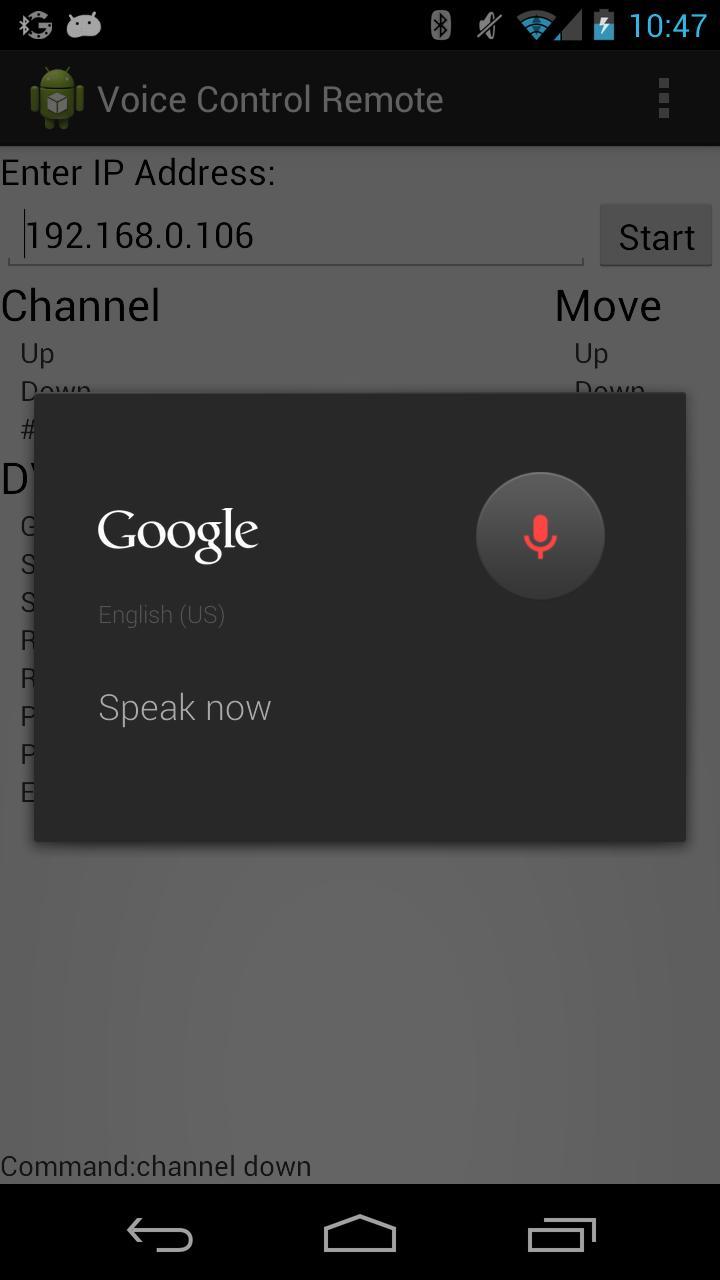
Once you have the IP address, start the application. There is a box where you should enter the IP address. Once entered, press Start. The application will beep and will begin listening for your commands. Give a command by saying a section followed by a command. For example say "Video Guide" or "Channel Up" or "Channel 9".

The application will display the command it received, or the text it received if it did not match a command.

Commands followed by an asterisk can be given a number as well. For example, you can say "Video Skip 5" to press the skip forward button 5 times.

A command with a # means a single digit can be said. ## means a number with multiple digits can be said.

What's New in the Latest Version 0.1.3

Last updated on Jan 21, 2016 v0.1.3
Fixed move right. Ordered menu by logical groups, not alphabetical.

v0.1.2
Fixed bug repeatable commands (Channel, move, etc) would not work without a number. Description text to the main page. Quit and a restart button.

v0.1.1
Fixed shutdown bug. Added shut app off with voice. Display now turns on when a voice command is given.

v0.0.4
App listens all the time. Translation best for 5 seconds after beep. Will beep every minute. Working on eliminating the beep and degraded translation.
Download(181.72KB)
Users also viewed
  • Michigan Lottery Official App

    Michigan Lottery Official App

    3.20.0 December 29, 2025
  • Cocktail List

    Cocktail List

    1.0.3 December 29, 2025
  • Uomo Moderno

    Uomo Moderno

    1.1 December 29, 2025
  • Los 5 mas Guadalajara

    Los 5 mas Guadalajara

    4.0.1 December 28, 2025
  • KonfiApp

    KonfiApp

    4.8.0 December 28, 2025
  • Pedhua

    Pedhua

    1.0 December 28, 2025
  • MAGNET Summit

    MAGNET Summit

    3.93 December 28, 2025
  • Funny Sound Effects Ringtones

    Funny Sound Effects Ringtones

    5.8 December 28, 2025
  • Malayalam Keyboard

    Malayalam Keyboard

    2.0.0 December 27, 2025
  • Pastor R.C. Blakes Jr.

    Pastor R.C. Blakes Jr.

    4.0.1 December 27, 2025
  • Mobilink Packages Detail

    Mobilink Packages Detail

    1.4 December 27, 2025
  • Pashto Radio Pashto Radios

    Pashto Radio Pashto Radios

    1.0 December 27, 2025
  • Play2Win

    Play2Win

    7.0.0 December 27, 2025
  • homebrew

    homebrew

    1.0 December 27, 2025
  • Best Jyotish App in Hindi

    Best Jyotish App in Hindi

    2.1.1 December 26, 2025
About Privacy Policy Terms of Service Cooking Policy

© Copyright 2017-2025 downde.com