• Home
  • Games
    Action-adventure Simulation Business Role Playing Sports Competition Casual Intelligence Card Strategy Music Rhythm Text Puzzle
  • Apps
    Business Office Newsletter Social Life Entertainment Online Shopping Practical Tools Travel Educational Learning Information Reading Sports and Health
  • Articles

English 中文(简体) 中文(繁体) 한국어 日本語 Português Español Русский العربية Indonesia Deutsch Français ภาษาไทย
Home Apps Practical Tools Sweet Home AVR (Unreleased)
Sweet Home AVR (Unreleased)

Sweet Home AVR (Unreleased)

1
2
3
4
5
Download
  • Version 9.99
  • Category Practical Tools
  • Package Name com.mindblowing.sweethomeavr
  • Update Time January 21, 2026
  • Size 10.91MB
About this app

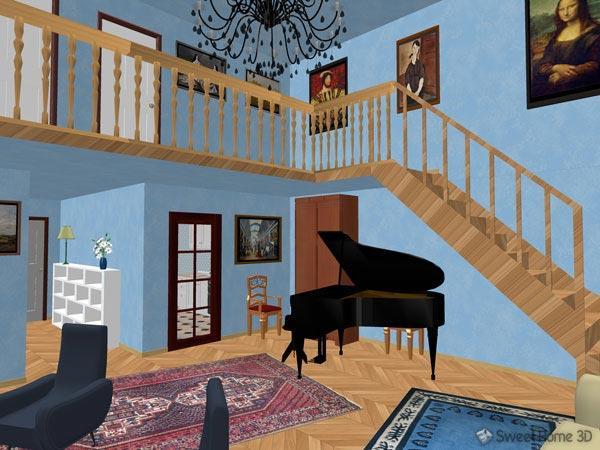
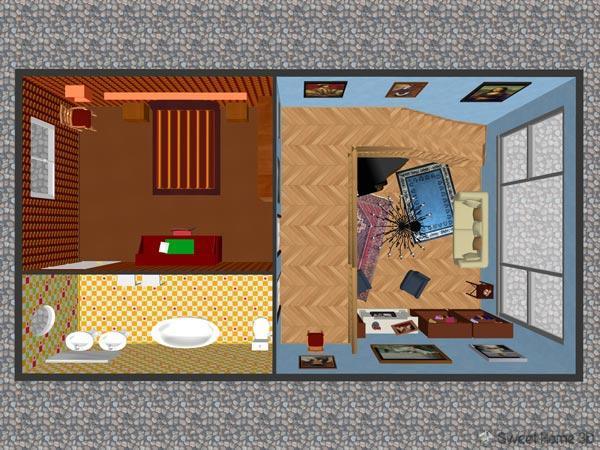
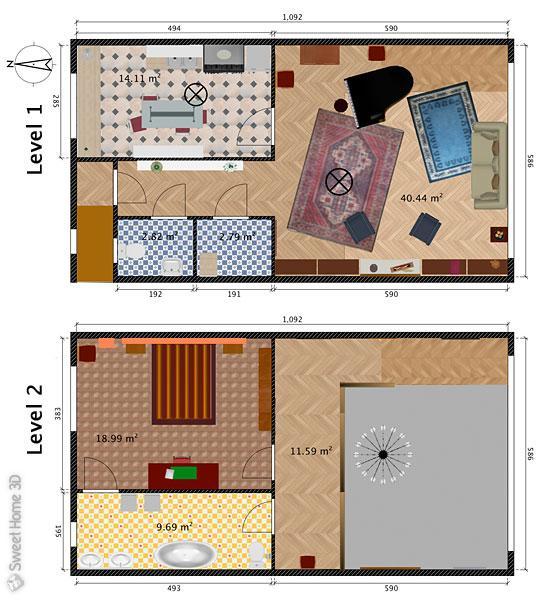
Sweet Home 3D file viewer and editor; open, edit and save sh3d files.

This is the Sweet Home 3D desktop app ported across to work on Android.

Swipe 2 fingers together to pan and pinch to zoom on the plan view.

Most other features work similarly to the desktop version.

To see more demonstration homes please visit http://www.sweethome3d.com in your devices browser, click on gallery and then select any of the sh3d file links.

If you minimize the app for a long time it may fail to restart.

The app will open your downloads folder on start up and you can select a sh3d file from there, or you can start the app by click on a http link to a sh3d file or a local file on your device in file explorer.

Note some file explorers do not associate sh3d files with this app, this is a bug in those explorers and other explorers like ES Explorer work correctly.

2 sh3d files are automatically downloaded for you on opening the app to demonstrate it, please wait for the larger file to finish downloading.

If the sh3d demo files become corrupt or you have saved them and want to reset, please delete both from your downloads folder, using a file explorer, they will be auto downloaded on next start up.

Menu-> Help does nothing currently.

Minimizing the app while the plan view is still loading icons means it will not resume again, you have to wait till they are all loaded before leaving.

There is currently no support for importing furniture catalogs, this is coming soon.

When creating walls, rooms, polylines etc you must press the select button to end the creation, there is no double click end solution yet.

Cut/Copy/Paste can only be done via the duplicate and delete buttons.

If a crash report dialog pops up PLEASE press "Report" it is extremely useful to development :).

What's New in the Latest Version 9.99

Last updated on Feb 5, 2017 Renamed the app Renovations 3D
Download(10.91MB)
Users also viewed
  • Beautiful Camera HD

    Beautiful Camera HD

    1.2.3 January 21, 2026
  • Civil Engineering Calculations

    Civil Engineering Calculations

    1.71 January 21, 2026
  • US Robot Stickman Rope Hero -

    US Robot Stickman Rope Hero -

    1.0 January 21, 2026
  • NotifyClean

    NotifyClean

    3.8.6 January 21, 2026
  • A Light: 1-Click Flashlight

    A Light: 1-Click Flashlight

    2.6 January 21, 2026
  • Be with you - Locker Theme

    Be with you - Locker Theme

    1.2 January 21, 2026
  • Ilmajaam

    Ilmajaam

    5.6.4 January 21, 2026
  • Metal X GO Launcher Theme

    Metal X GO Launcher Theme

    v1.0 January 21, 2026
  • Grocery Lists  Make Shopping Simple and Smart

    Grocery Lists Make Shopping Simple and Smart

    5193 v1 January 21, 2026
  • Turn Off Screen (Screen Lock)

    Turn Off Screen (Screen Lock)

    6.7 January 21, 2026
  • Betman dodol theme

    Betman dodol theme

    4.1 January 21, 2026
  • KitKat (Android 4.4) Theme

    KitKat (Android 4.4) Theme

    1 January 20, 2026
  • New Year Santa Live Wallpaper

    New Year Santa Live Wallpaper

    3.4 January 20, 2026
  • MemoryInfo & Swapfile Check

    MemoryInfo & Swapfile Check

    2.35 January 20, 2026
  • SITPORT

    SITPORT

    2.1.9 January 19, 2026
About Privacy Policy Terms of Service Cooking Policy

© Copyright 2017-2026 downde.com