• Home
  • Games
    Action-adventure Simulation Business Role Playing Sports Competition Casual Intelligence Card Strategy Music Rhythm Text Puzzle
  • Apps
    Business Office Newsletter Social Life Entertainment Online Shopping Practical Tools Travel Educational Learning Information Reading Sports and Health
  • Articles

English 中文(简体) 中文(繁体) 한국어 日本語 Português Español Русский العربية Indonesia Deutsch Français ภาษาไทย
Home Games Casual Intelligence Chess PGN
Chess PGN

Chess PGN

1
2
3
4
5
Download
  • Version 1.5.8
  • Category Casual Intelligence
  • Package Name air.com.chessimpact.chessviewer
  • Update Time February 3, 2026
  • Size 10.63MB
About this game

Enjoy millions of the latest Android apps, games, music, movies, TV, books, magazines & more. Anytime, anywhere, across your devices.

* No limit on number of games to view.

* PGN with FEN tag supported(for Chess 960 games).

* Annotations and Comments supported.

* Auto-Move

* Auto-Rotate

* PGN Games info in list view with goto for easy navigation for long list.

DESCRIPTION:

This application(free) can be use to view pgn files on your device. It can read pgn files located over your android device root directory that is '/sdcard' on most devices and Download folder. You can even browse device pgn files.

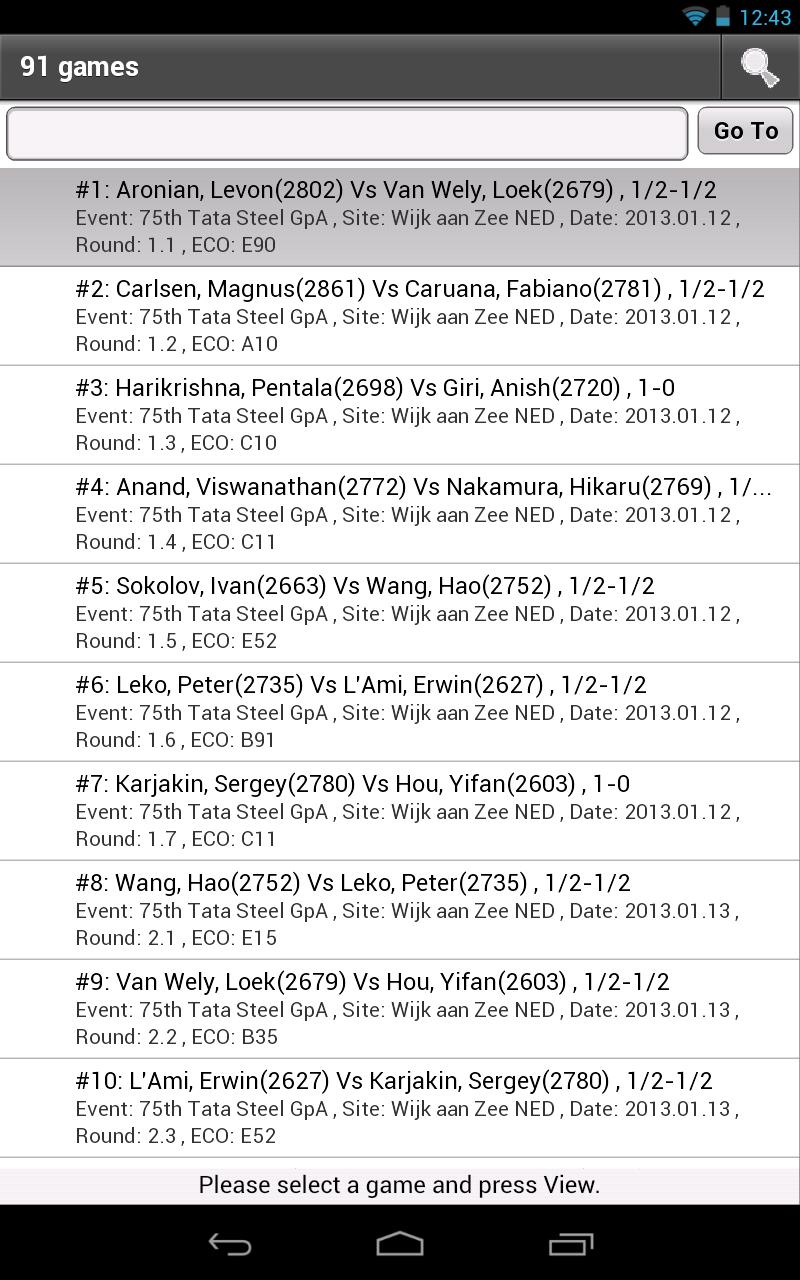
This application will list down all .pgn files on that location, you then just need to select one and press 'Open' button (top-right) in order to load that file, it will take few secs to load (depends on number of games). Once games are loaded they are represented in list format and numbered, you can go to specific game number using 'Go To' button to avoid scrolling if there are lots of games.

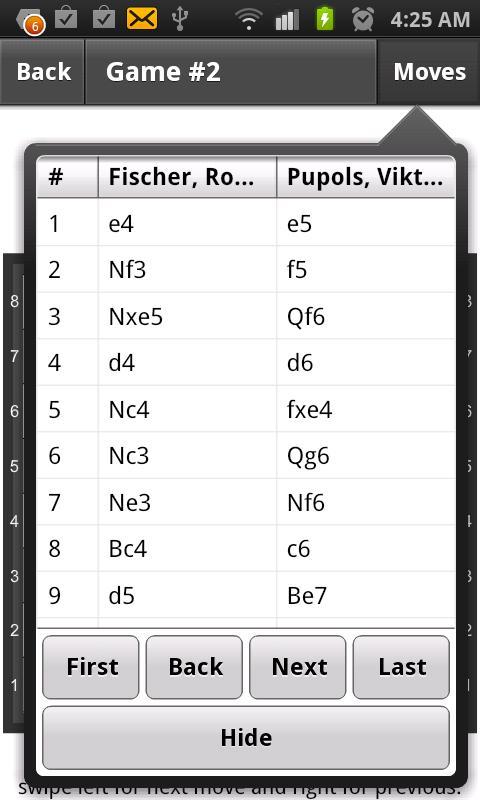
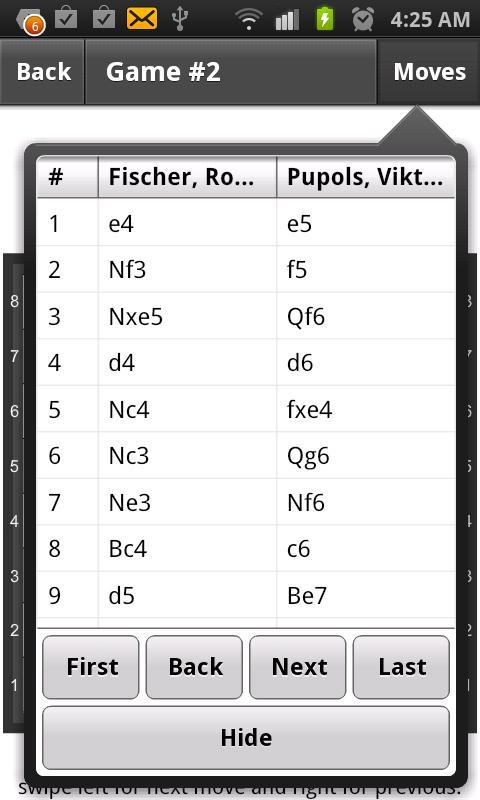
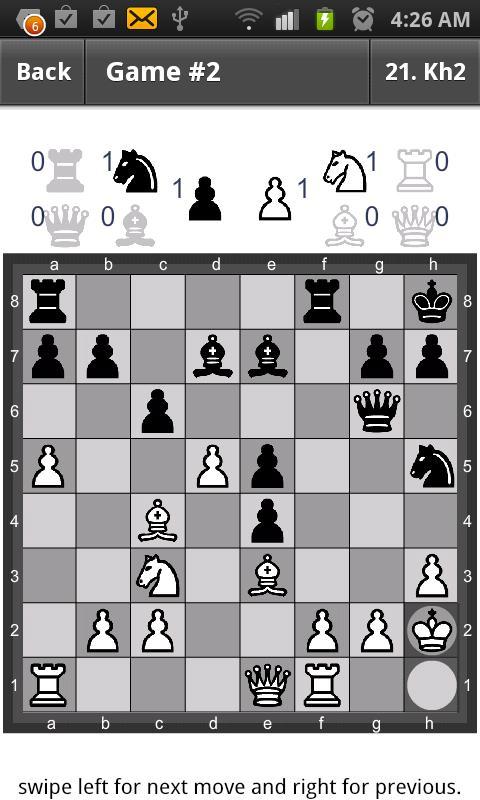
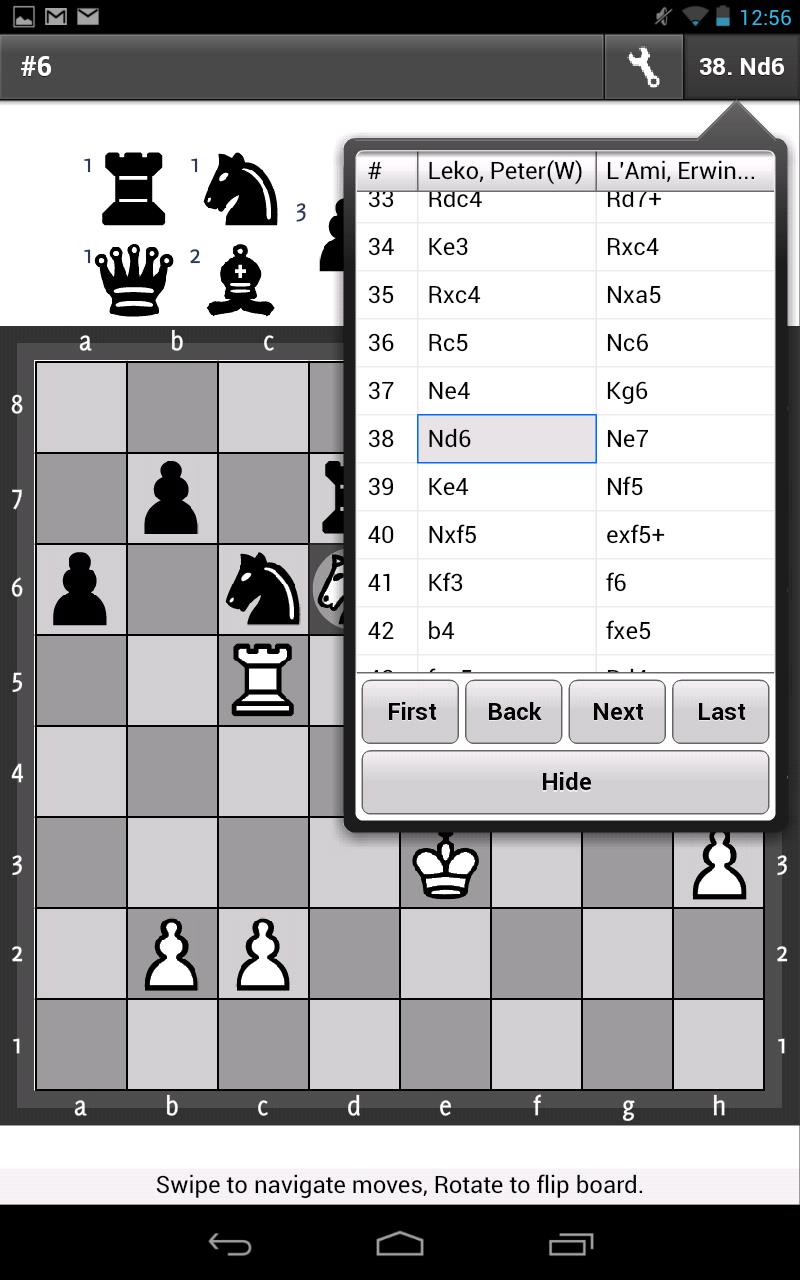
Once, game you want to view is selected then you can press 'View' , that will load that game and chess board will appear. You can see all moves under 'Moves' (top-right) that will show last move as you navigate moves. To navigate move you can either select specific move from move list(there are few more helpful buttons) or hide that(by pressing 'Hide' button) and on chessboard do swipe gesture to left for next move or right for previous. For flipping board you can do rotate gesture. At the bottom of the screen you get that instructions as well and that is where you can view comments including annotations of that move. You can enable Auto-Move by Options->Auto-Move toggle button, this will play next move every few sec you want, to disable click same button.
What's New in the Latest Version 1.5.8

Last updated on Sep 14, 2015 v1.5.8
fix: en-passent with black
doesn't require Adobe AIR
Download(10.63MB)
Users also viewed
  • What movie is that? (Lite)

    What movie is that? (Lite)

    1.0.1 February 8, 2026
  • Pebble Zen - Top Puzzle Game

    Pebble Zen - Top Puzzle Game

    1.0.2 February 8, 2026
  • Matchrix

    Matchrix

    1.1 February 7, 2026
  • Panda Bubble Story

    Panda Bubble Story

    1.1 February 7, 2026
  • ShiritoLinbo!

    ShiritoLinbo!

    9.42 February 7, 2026
  • Binoxxo

    Binoxxo

    1.3 February 7, 2026
  • 4 Elements

    4 Elements

    1.0.4 February 7, 2026
  • Shuffle 5

    Shuffle 5

    1.2 February 7, 2026
  • Sugar Bombs HD

    Sugar Bombs HD

    1.1.0 February 7, 2026
  • Jewels Mania & Super Star

    Jewels Mania & Super Star

    1.0.2 February 7, 2026
  • Prom Night

    Prom Night

    1.0.7 February 7, 2026
  • Judy's Hospital :Skin Doctor

    Judy's Hospital :Skin Doctor

    1.200 February 7, 2026
  • Hidden Scenes Angels & Fairies

    Hidden Scenes Angels & Fairies

    1.0.5 February 7, 2026
  • Sky Wars After Burner Fighter

    Sky Wars After Burner Fighter

    1.5 February 7, 2026
  • Find The Difference: Princess

    Find The Difference: Princess

    2.0 February 7, 2026
About Privacy Policy Terms of Service Cooking Policy

© Copyright 2017-2026 downde.com