

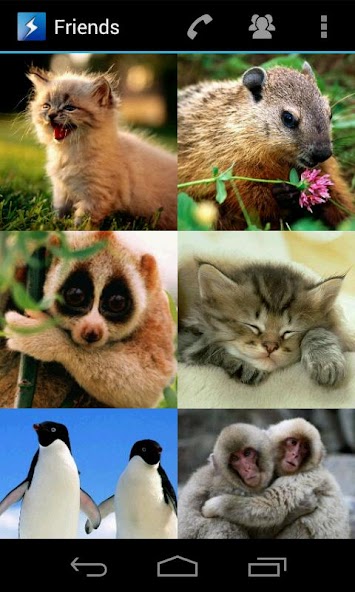
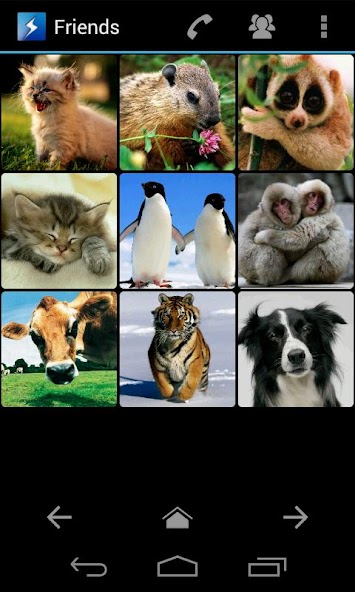
A simple quick dial app
Looking for a fancy and simple picture dialer app? With SpeedDial you can choose up to 120 of your contacts and access them with just a single click.
Define what happens on short or long click. Choose between instant call, sending a text message or just viewing the contact.
Use the animated grouping feature for friends, famliy or co-workers.
The easiest and best looking speed dialer you can get!
*** Notice ***
Please read the FAQ below if you have further questions. If you have problems please contact me first instead of giving a bad rating.
If you consider to buy the full version of SpeedDial, please try the free version first! Android 3.x (Honeycomb) is not officially supported but may work.
*** Features ***
- 120 contact shortcuts (full version only)
- 4 animated contact groups (full version only)
- Swipe/Fling through the groups (full version only)
- Customizable click actions
- Fullscreen mode
- Different layouts (small, medium, large)
- Portrait and landscape support
- Multiple contact phone number support
- Quick and simple dialer
- Open phone's call log, contacts and dialer
- Mediascanner
*** FAQ ***
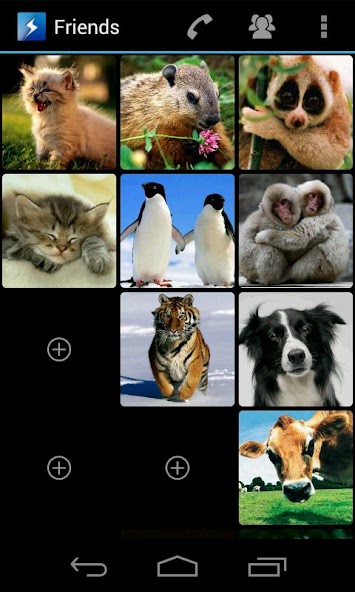
Q: How can I add a new shortcut from my phone's contact list?
A: Long click the 'plus icon' on the main screen. The contact picker will come up to choose a contact.
Q: Something is not working properly. What can I do?
A: If the FAQ does not help, contact me using the 'Feedback' function in "Settings" view or 'Contact Developer' in the Android Market. I will try to support you as soon as possible. If you like this app, please rate it!
Q: What is the difference between the full and the lite version?
A: The lite version has the same features like the full version, except that it is limited to 12 shortcuts and that it does not have the grouping functionality. NO Ads! So please install the lite version first and check if it is running properly on your device!
Q: My contacts do not have caller pictures. Can I nevertheless use SpeedDial?
A: Yes, you can. But having caller pictures is the whole purpose of SpeedDial. If no picture is available, the Android logo and the name of the contact will be displayed.
Q: Settings: What are the 'Shortcuts Group' sliders for?
A: Define the number of visible shortcuts. If you have a set of shortcuts and reduce the number of buttons, the shortcuts will not be deleted, only hidden. After increasing the shortcut count, the shortcuts will be visible again. If the count is set to '0', the view will be skipped if you cycle through your groups.
Q: Settings: Functionality of 'Short/Long Click Action'?
A: If you have set up your contact shortcuts, two main actions can be performed. A short or a long click. By default a short click calls the number stored in the shortcut and a long click opens the context menu to start different actions like call number, send text message, view the contact, send a WhatsApp message, show the contact's address in Google Maps, send Email and also replace, remove or move a shortcut. Short and long click actions can be overwritten with other actions. Please note, if you change the 'Long Click Action', the context menu will not be available anymore. Instead you can use 'Actions' from the main menu.
Q: What is the 'Actions' menu item?
A: Lets you quickly replace, move, rename or remove a shortcut.
Q: What does the Media scanner do?
A: Use the integrated media scanner to scan for files on your phone without unplugging the SD Card. E.g. if you cannot see new pictures in the picture gallery.
*** About Permissions ***
- Read Contacts: For adding a new contact and read the phone number
- Call Phone: For calling a number using the phone's dialer app






 Download