

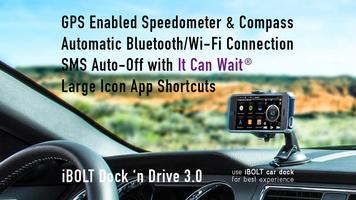
Berkendara dengan aman dengan dermaga mobil. Favorite apps and quick dials shown with big icons!
iBOLT Dock'n Drive Community:
https://plus.google.com/communities/117597739134268371946
***Watch Video demo for optimal use of this app***
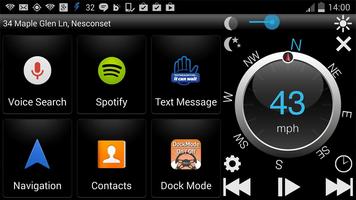
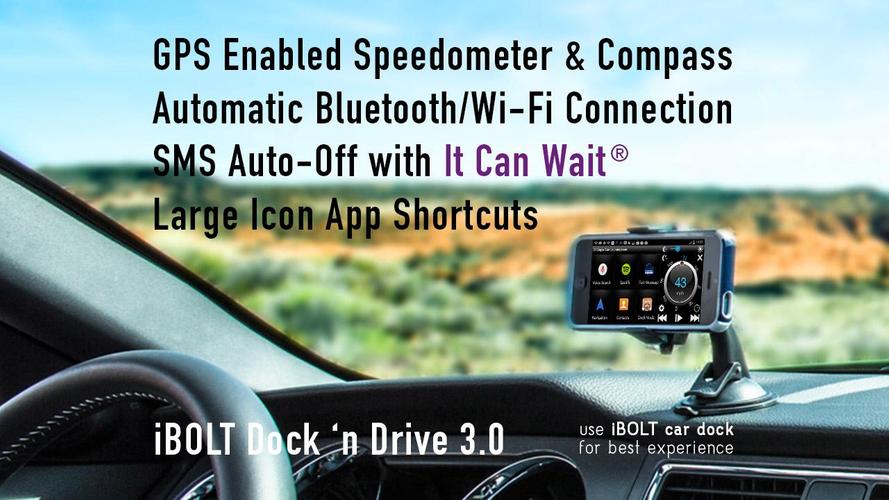
The "Connected Car" is here today! With Dock'n Drive up to 30 tiles can be set as large shortcuts to favorite apps and direct dials for frequently used contacts when driving. A floating icon appears when opening other apps, allowing users to go quickly back to the Dock'n Drive interface. Combined with your favorite iBOLT car-dock and Accessories iBOLT Dock'n Drive can make your driving experience more enjoyable and safer. The App takes advantage of your Android Smartphone. Set Bluetooth to turn automatically, WiFi to turn off, disable screen time out and many other options.
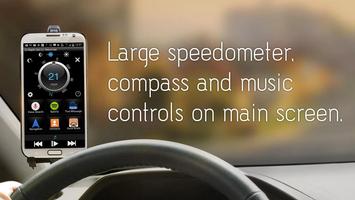
When driving a great looking digital speedometer, an innovative “compass ring” and media play buttons optimized for apps like Play Music, Pandora, Spotify, TuneIn, Slacker etc. are seen on the screen.
----FUNCTIONALITY----
SPEEDOMETER & COMPASS
The highly accurate GPS speedometer displays the speed in kilometers per hour (KPH) or Miles per hour (MPH). The compass ring always indicates in which direction the vehicle is moving. Touch the speedometer to switch between home and big screen.
BURN-IN PREVENTION
The Interface is moving from time to time
30 TILES TO CUSTOMIZE
The main screen features 5 pages, each with 6 "tiles" that can be customized to feature your favorite apps, direct dial, link etc. Swipe left or right to move between screens. The “Edit Shortcuts” menu will let you add and delete shortcuts, change background color, skin, icon & font size and font color.
LAMPU DIM
The User Interface features a "Dimmer” for brightness adjustment (slider). Press the half moon to enable the sleep mode (moving clock). Touch the screen again and sleep mode is turned off. Great battery saving feature.
BACKUP / RESTORE
settings using Dropbox or local storage.
--- CONVENIENCE & SAFETY ---
IT CAN WAIT
Place incoming text messages on hold while the Android phone is docked. When undocked messages are delivered to phone. Set auto reply message such as "Driving right now, will get back to you shortly".
FLOATING SHORTCUT
Enable/Disable floating shortcut or change size and transparency
AUTO ANSWER INCOMING CALLS
TOOGLE BLUETOOTH
Auto turn on Bluetooth when device is docked and turn off Bluetooth on undock.
TOOGLE WI-FI HOTSPOT
Make a hotspot available in your car
WI-FI
Choose if Wi-Fi should be disabled temporary or permanently when device is docked.
DAILY ROADS VOYAGER
Activate control buttons for DailyRoads Voyager (the app has to be installed separately)
--- SPEED & TIME ---
DIFFERENT DISPLAY OPTIONS FOR CLOCK AND SPEED
Select between MPH/KPH, 12/24 hours and analog or digital clock
--- ADDITIONAL SETTINGS ---
HIDE NOTIFICATION BAR
Hides the notification bar on top of screen or makes it visible.
AUTO ENABLE THE ANDROID CAR MODE
MOBILE DATA CONNECTION
Disable use of mobile data by Dock'n Drive App
DISABLE SCREEN TIMEOUT
Disable system screen timeout can be set while device is docked.
TACTILE
Make the phone vibrate when screen is touched.
SET DEFULT MEDIA VOLUME & PLAYER
Set the App music/sound volume to desired level when the device is docked and choose your default media player to control
BRIGHTNESS MODES
Set brightness mode to a default level while device is docked. Use “Day” and device will turn the brightness to max and “Night” to the lowest level. „Auto“ will use the light sensor.
ROUTE TO SPEAKER:
Route phone calls to phone speaker instead of a connected Bluetooth headset/main unit (not working on CDMA devices)
CHECK GPS ON START
If GPS is disabled open the settings screen
NOTIFICATION ACCESS
Disable hint for notification access in case you don't want to allow to access your notifications for displaying current song information.
LAUNCH / EXIT APP DEPENDING ON CONNECTED BLUETOOTH DEVICE
OK GOOGLE HOTWORD SUPPORT
AUTO RUN
Autostart additional app when app launches
Only available on Android 4.4+
 unduh
unduh